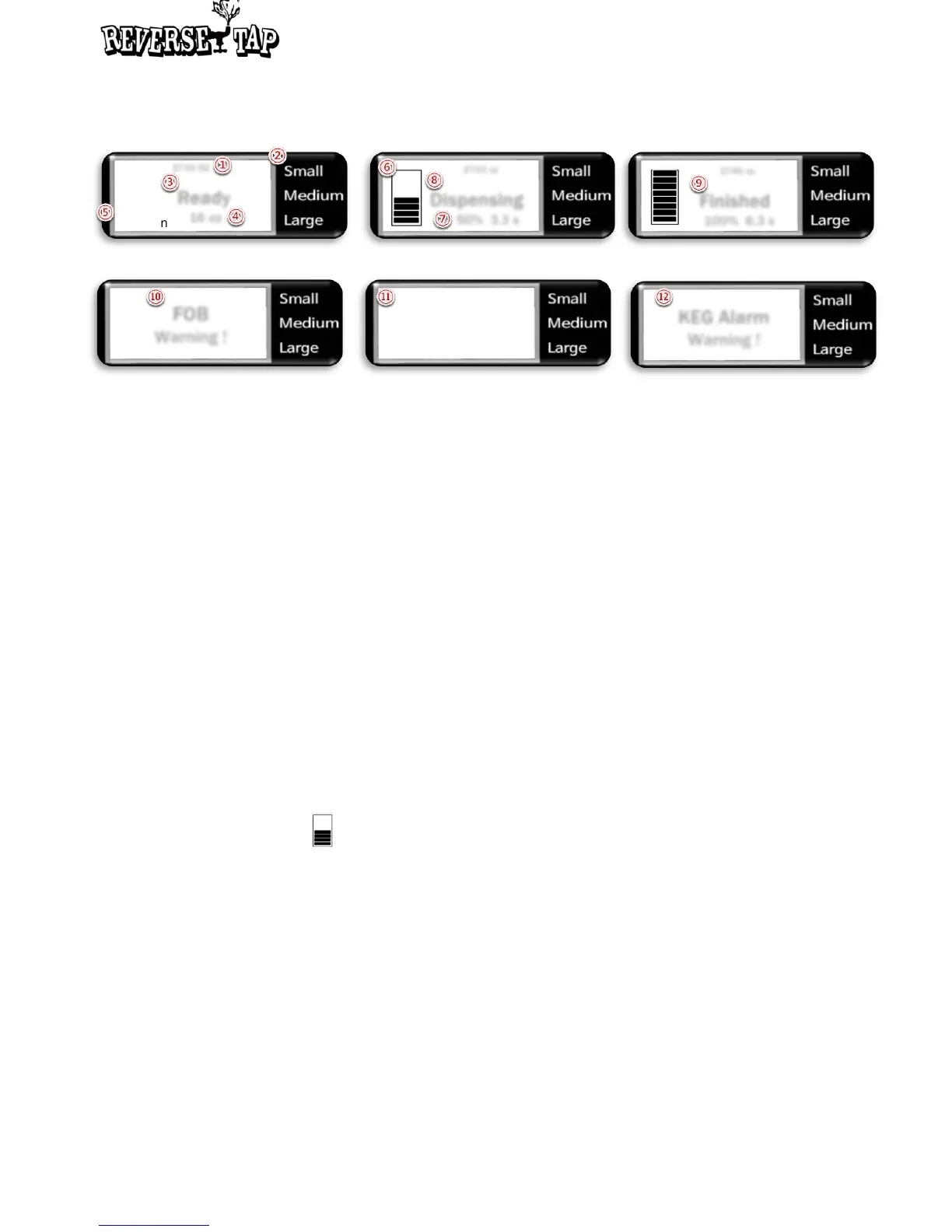
Indicator icons & text on OLED display
① Dispensed amount
This number shows how much beer has been dispensed.
② Default size
You can preset the default size as one of three different sizes, which is Small, Medium,
and Large. The circle signal (◎) indicates current default size. You can shift among
three sizes with Up and Down button at the Standby status. You can also change the
amount of each default size.
③ Ready
This text indicates the Standby status. At this status, you can insert the cup and
dispense beer.
④ Preset amount
This number shows the fixed amount of each preset default size
⑤ FOB, Foam mode
If the FOB or Foam mode is set, it is displayed as On. If deactivated, it is displayed as
Off
⑥ Dispensing status ( )
This signal indicates the amount of dispensed beer and the status that beer is being
dispensed
⑦ Percentage and time
While dispensing, the percentage and elapsed time of each beer cup is displayed
⑧ Dispensing
This text indicates the Dispensing status. It notifies that beer is being dispensed
⑨ Finished
This indicates the Finished status
⑩ FOB Mode
This text indicates the FOB status. If the sensor of the dispenser detects too much foam
in the keg, it will automatically stop dispensing beer to prevent foam explosion. Normally
this mode is activated when the KEG is almost empty
Standby status
Dispensing status
FOB On
Foam On
2733 OZ
Ready
16 oz
◎
2733 oz
Dispensing
50% 3.3 s
KEG Alarm
Warning !
FOB
Warning !
2745 oz
Finished
100% 6.3 s
Finished status
On : Push Start
Off : Push Stop
FOB status
FOB status
Keg Alarm status
8


 To Next Page