26 27
Troubleshooting
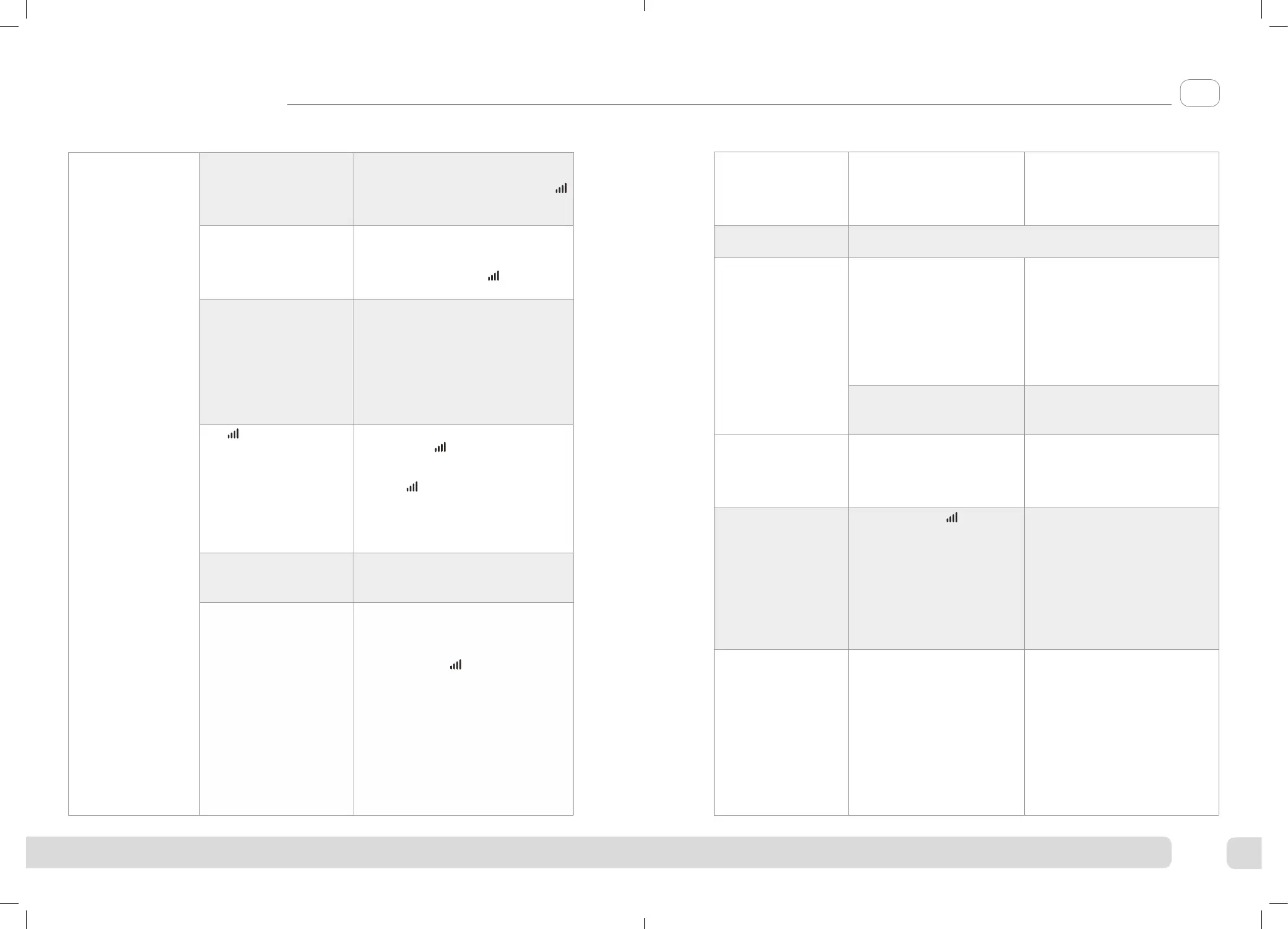
Problem Possible Cause Solution
Revitive is on (lights
illuminated on the
LED display) but
I cannot feel the
electrical stimulation
through the foot-
pads.
Not placing both bare feet
on the foot-pads at the
same time.
Ensure that your feet are bare and each
foot is placed on each of the foot-pads
at the same time. Keep increasing the
intensity up to a maximum of 99 until
you feel the stimulation.
Your feet may be dry. Moisturize the soles of your feet to
improve conductivity and stimulation
and try the procedure again. You may
also have to increase the intensity
level.
You may be dehydrated. Drink plenty of water before and aer
using the device. The device uses your
body to create the electrical circuit.
Water is an excellent conductor of
electricity and if your body is less
hydrated (below 60%) then the
stimulation may be less, therefore it
is important to always remain well
hydrated.
The intensity level may
be on too low a setting.
This is a very safe device. Keep
increasing the intensity level towards
99 until you feel the stimulation. You
may find that you have to increase the
intensity level as you get used to the
therapy. The aim is not to get to 99 but
to find a setting that produces strong
muscle contractions in your calves and
is comfortable for you.
Electrode cord is connected
to device.
Disconnect the Electrode cord - the foot-
pads will not work while the Electrode
cord is plugged in.
If, having tried the solutions
above, you still cannot feel
the stimulation:
Test the device by placing one hand
across both foot-pads at the same time
(The heel end of the foot-pads is easiest).
With your other hand, and starting from
zero, increase the intensity level until
you can feel the stimulation. If you can
feel the stimulation through your hand
then the device is working. If on 99 you
still cannot feel the stimulation then
please contact your authorised dealer.
Problem Possible Cause Solution
No power or lights
to Revitive when it is
switched on.
AC Adaptor not switched on
at the electrical socket or AC
Adaptor not plugged into device
properly.
Check electrical socket power
is switched on and the AC Adaptor
is plugged into the device correctly.
If still not working – contact your
authorised dealer.
Revitive is not
vibrating.
REVITIVE IS NOT DESIGNED TO VIBRATE.
The IsoRocker® is not
"rocking".
It is the muscles in your legs
that cause the "rocking", the
IsoRocker® is a pivot.
The IsoRocker® will only rock
when increased to an intensity
which causes suicient calf muscle
contraction. It may be that you
cannot comfortably increase the
intensity high enough until you
get used to the sensation. It is
important that intensity is adjusted
to a level that is comfortable.
The device is too far in front
of you.
Sit with your knees at a 90 degree
angle.
When using the
IsoRocker® on a
hard floor it makes a
tapping noise.
Incorrect positioning of the
device or too high an intensity
level.
Adjust the positioning of the
device or lower the intensity level
to reduce the device tapping.
Alternatively use a floor mat under
the device to cushion the sound.
My legs are aching
aer treatment.
You may have the
intensity
on too high a setting and your
muscles are being overworked.
Leave adequate time aer each
treatment to allow the muscles
to recover (just like aer vigorous
exercise!). On your next session
start on a lower setting (where
you can feel the mild electrical
stimulation and it is comfortable)
and reduce the duration until your
muscles have acclimatized to the
stimulation.
I have placed my feet
on the device but
am unable to see the
TENS symbol on the
control panel
TENS is only available through
the Electrode Pads.
EN
5839_IFU04_18244309.indd 26-27
5839_IFU04_18244309.indd 26-27
06/10/2021 16:44



 To Next Page