24 25
Step 3.1:
Switching between EMS and TENS mode
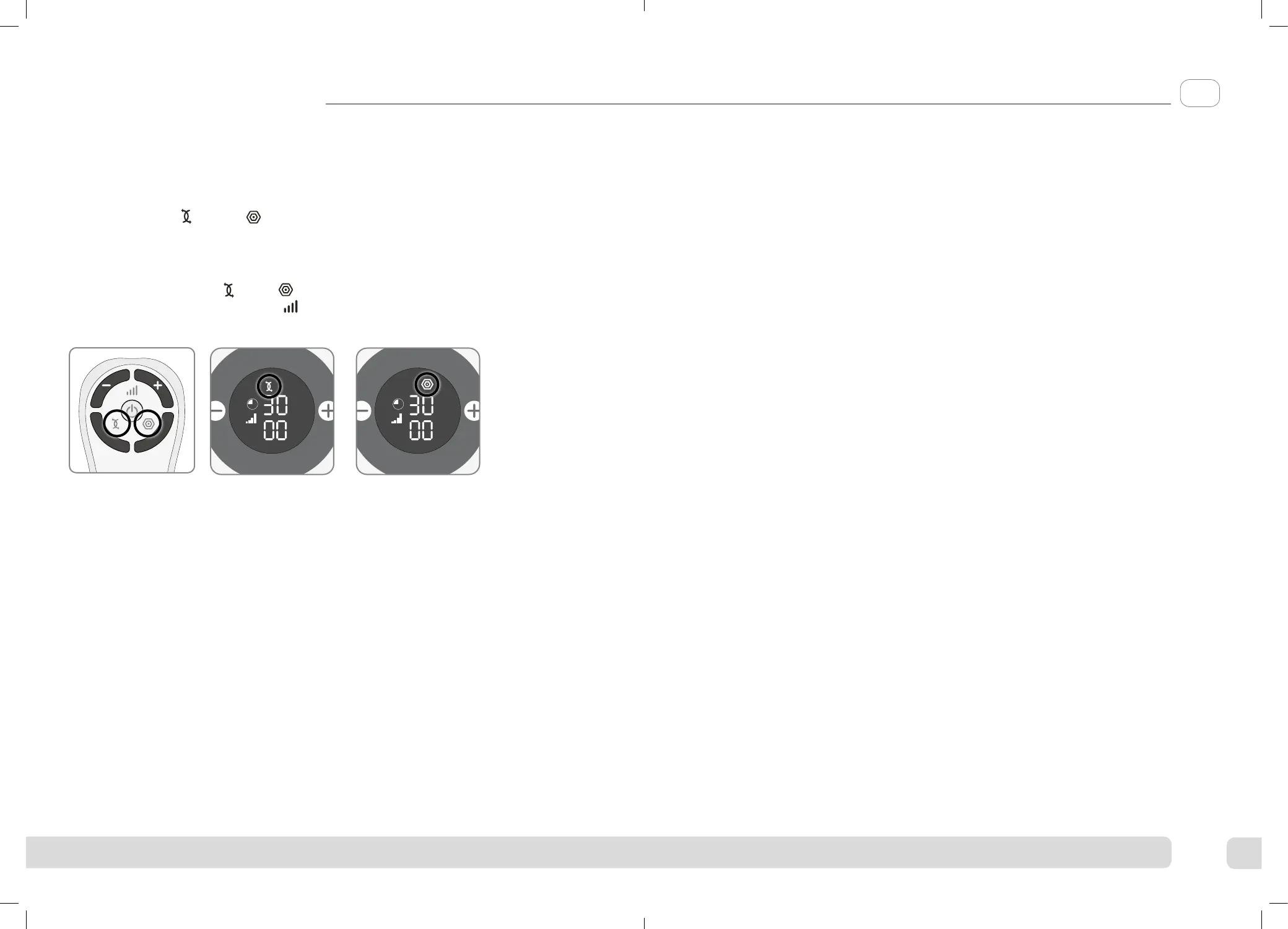
To change between EMS and TENS mode, press the button of the stimulation mode
you require on the remote control.
You will see the mode selected highlighted on the display.
During use, switching from EMS to TENS mode (or vice versa), will reset the timer
back to the relevant default time. The Intensity will also be reset to zero.
Instructions for use
Step 4: Cleaning and storing Revitive
a Ensure Revitive is switched o.
b Wipe down the foot-pads with a so damp cloth.
Do not clean with chemicals.
Do not immerse Revitive in water.
c Store Revitive in a cool, dry and dust-free location.
Store out of direct sunlight.
d Place Body Pads onto the plastic liner.
e Store the Body Pads in a dry and ventilated location.
Store out of direct sunlight.
You do not have to detach the Body Pads from the Electrode cords to store them.
Replacing the Batteries
The remote control requires two AAA 1.5V batteries to operate.
Replacing the Body Pads
The Body Pads are reusable up to 20-30 applications. If the Body Pads start to lose
their adhesiveness, rub a few drops of water into the surface. Replacement Body Pads
can be obtained via www.revitive.com
EN
5839_IFU04_18244309.indd 24-25
5839_IFU04_18244309.indd 24-25
06/10/2021 16:44



 To Next Page