MINI 3D Scanner Quick Start Guide
11 COPYRIGHT ©2022 REVOPOINT 3D ALL RIGHTS RESERVED
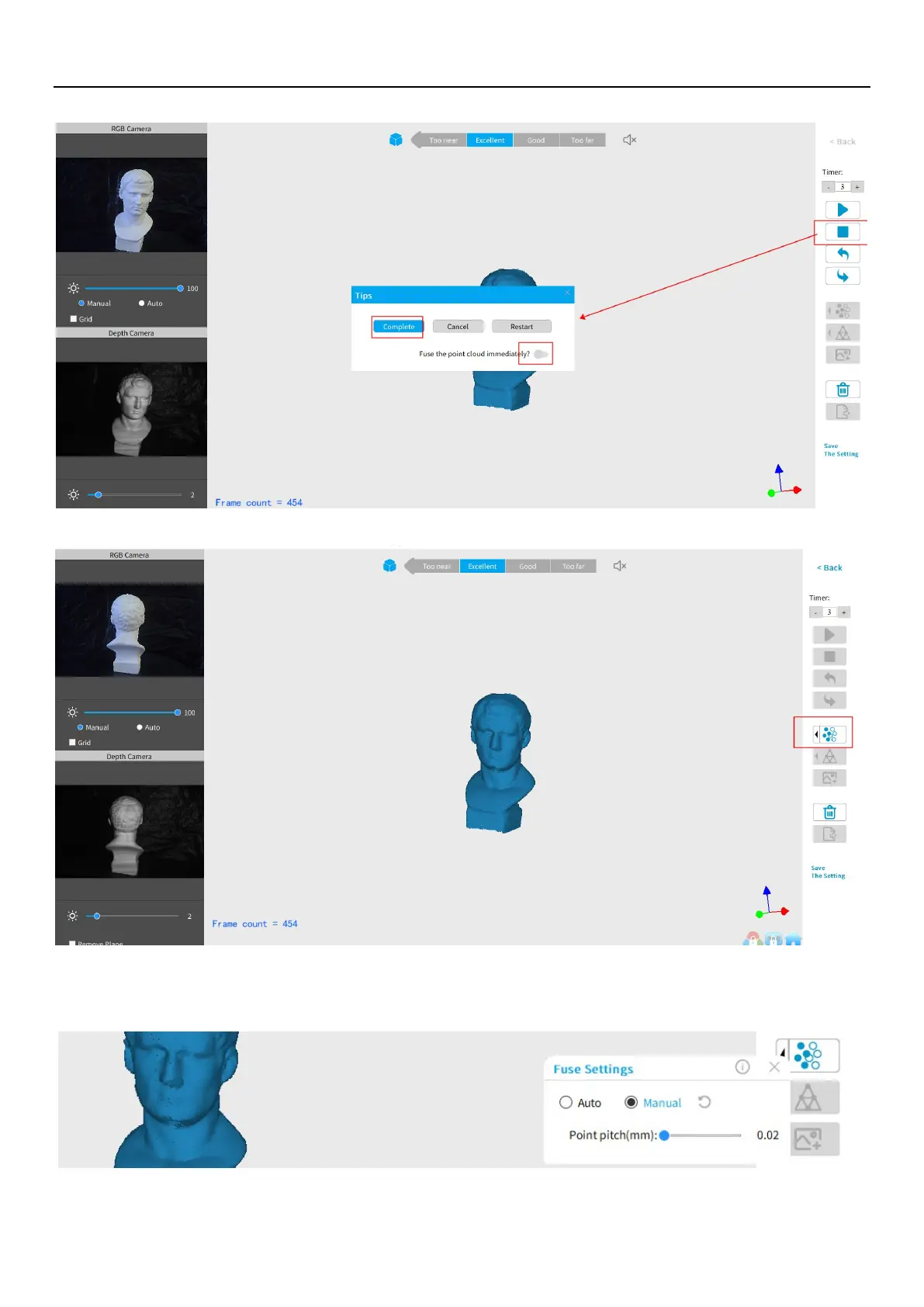
Inactive button in the Stop’s popup (so that Fusing is a manual operation, allowing changes in the preset):
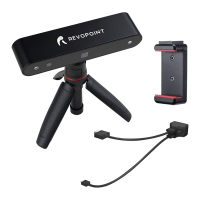
After clicking “Complete”, the next step is to fuse the point cloud data, as shown below:
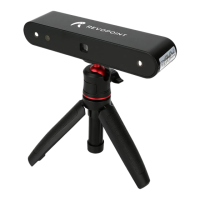
Click the drop-down arrow to display the Fuse setting by Anto and Manual modes. The smaller the point pitch, the better the
result. The minimum pitch can be adjusted up to 0.02 mm for the data. Smaller pitch points result in more resolution, but
also more processing time.


 To Next Page