MINI 3D Scanner Quick Start Guide
COPYRIGHT ©2022 REVOPOINT 3D ALL RIGHTS RESERVED 12
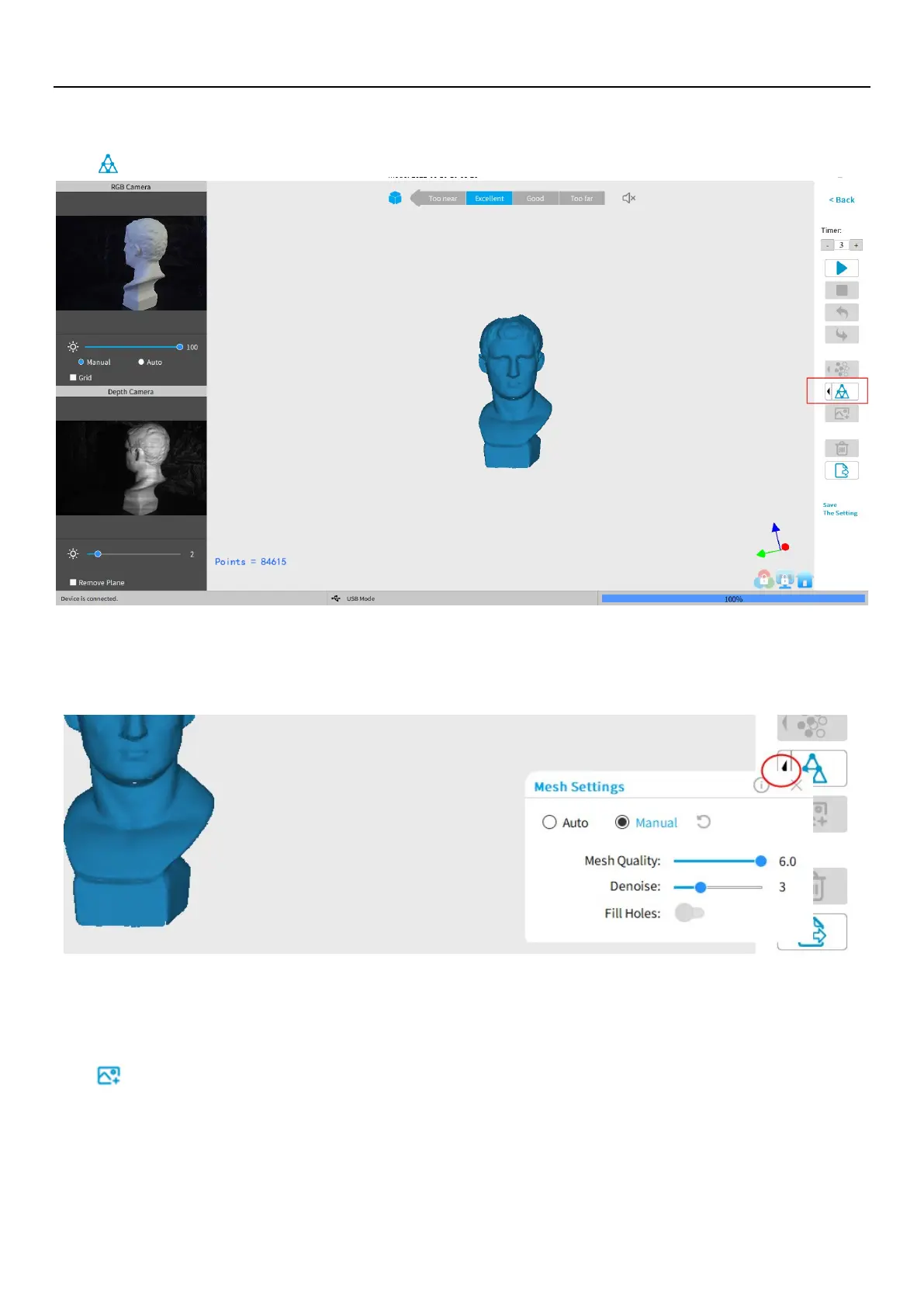
Mesh
Click to start converting the scanned point cloud data into a mesh.
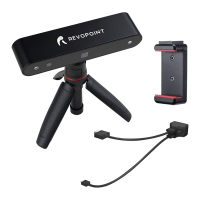
In the drop-down box, settings for Mesh Quality and Denoise are provided by Anto and Manual modes:
With higher Mesh Quality settings, more details are captured in the resulting model, at the expense of longer processing
times. The higher the Denoise setting, the smoother the result. Depending on the object, high levels of noise reduction may
result in lost detail. The results of the Fill Hole switch may be undesirable if the holes are too large.
Texture
The Texture function only applies to scans made with the "Color" option selected (see New Scan options on p. 9).
Click
to apply texture to the model.


 To Next Page