MINI 3D Scanner Quick Start Guide
15 COPYRIGHT ©2022 REVOPOINT 3D ALL RIGHTS RESERVED
Mac: Connect to the MINI 3D Scanner via Wi-Fi
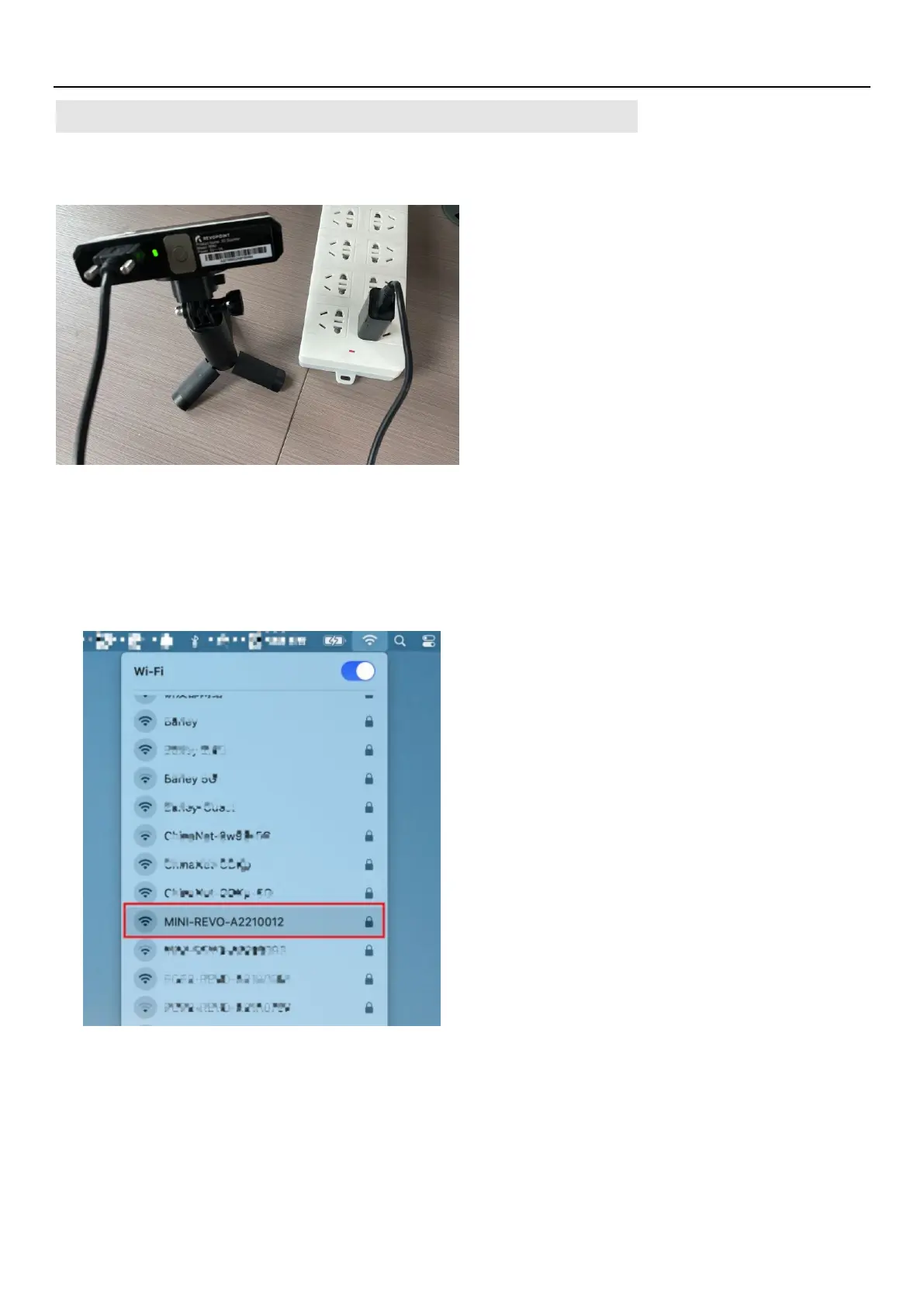
1. Power the MINI 3D scanner with a power bank or an AC adapter.
(Do not plug it into your Mac, or it will be USB mode by default.)
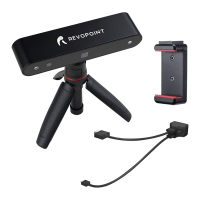
2. Find the Wi-Fi provided by the MINI in your Mac’s Wi-Fi list.
Usually, it is
MINI-REVO-XXXXXXXX
. And enter the password -
Revopoint3d
.
For example: If the Serial Number of one MINI 3D scanner is: A22100122A6F00A64. The Default
SSID and Password are: SSID: MINI-REVO-A2210012
Password: Revopoint3d
3. Open “Revo Scan” software and wait for a while for device connection after the Wi-Fi is connected
successfully.


 To Next Page