MINI 3D Scanner Quick Start Guide
7 COPYRIGHT ©2022 REVOPOINT 3D ALL RIGHTS RESERVED
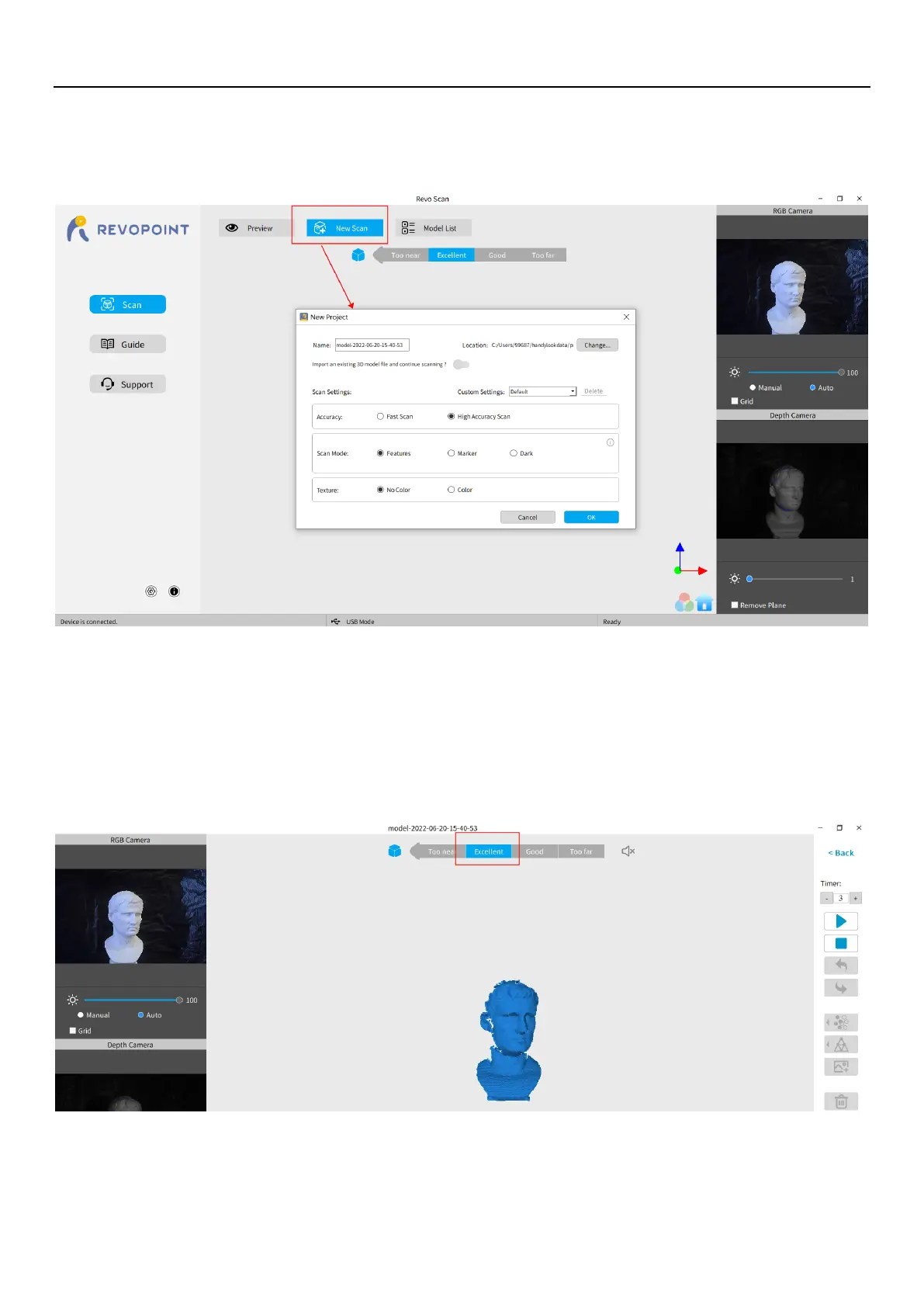
Click New Scan to select Accuracy, Scan Mode and Texture
Once connected successfully, the device is ready to scan. Configure the desired operational characteristics as described in
Section 2. New Scan (see p. 9-10) of the UI Introduction.
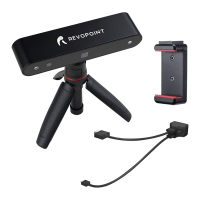
Confirm distance to be "Excellent"
After specifying the Accuracy, Scan Mode and Texture options, press “OK” to enter the scanning page. The top area of the
3D Model Preview window shows the distance. Position the MINI scanner or the object to confirm an "
Excellent
" distance
and keep it during scanning. Higher-resolution scans are possible in the “Too near” range, but tracking is more likely to be
lost.


 To Next Page