MINI 3D Scanner Quick Start Guide
COPYRIGHT ©2022 REVOPOINT 3D ALL RIGHTS RESERVED 6
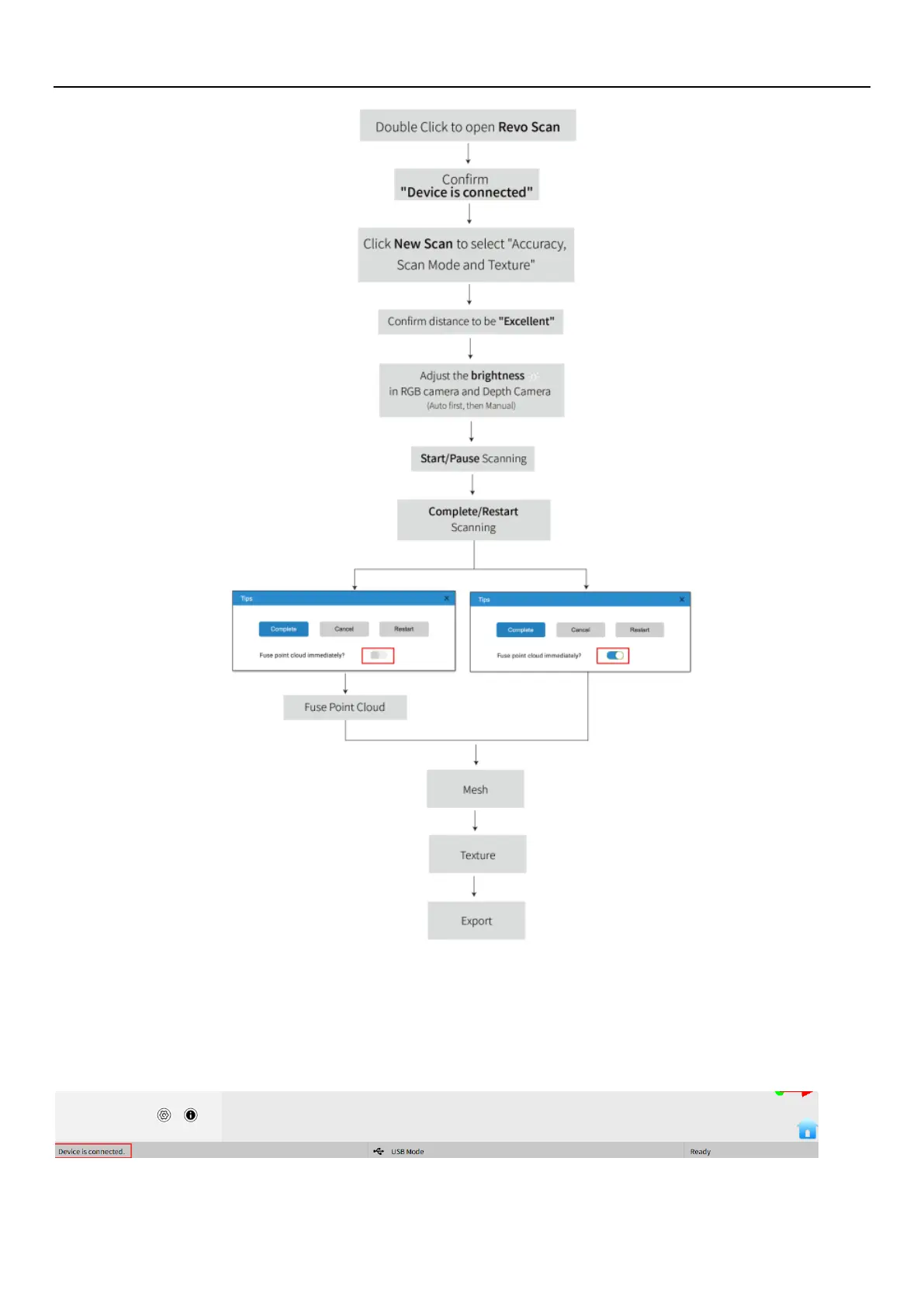
Confirm "Device is connected"
After opening Revo Scan, confirm the device connection status:
If the device is connected successfully, the left end of the status bar displays: Device is connected. Otherwise, please check
the connection. This happens typically 5-6 seconds after the scanner’s status LED on the rear panel turns blue.


 To Next Page