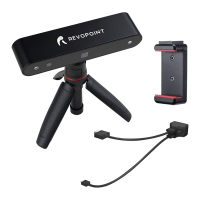
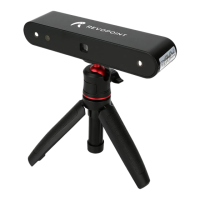
MINI 3D Scanner Quick Start Guide
COPYRIGHT ©2022 REVOPOINT 3D ALL RIGHTS RESERVED 2
Content
Product Overview ...................................................................................................................................................................... 3
Introduction ....................................................................................................................................................................... 3
System Requirements ........................................................................................................................................................ 4
Software Installation .......................................................................................................................................................... 4
Indicator Legend ................................................................................................................................................................ 4
PC: Connect to MINI 3D Scanner ............................................................................................................................................. 4
Windows: Connect to the MINI 3D Scanner via USB Cable ............................................................................................ 5
Hardware Connection ................................................................................................................................................ 5
Operation Workflow .................................................................................................................................................. 5
Confirm distance to be "Excellent" ........................................................................................................................... 7
Adjust the brightness in the RGB Camera and Depth Camera .................................................................................. 8
Start or Pause Scanning ............................................................................................................................................. 9
Complete/Restart Scanning ..................................................................................................................................... 10
Mesh ........................................................................................................................................................................ 12
Texture ..................................................................................................................................................................... 12
Export ...................................................................................................................................................................... 13
Mac: Connect to the MINI 3D Scanner via Wi-Fi ........................................................................................................... 15
Smartphone Connecting to MINI 3D Scanner (Wi-Fi & USB Mode) .................................................................................. 17
Android Smartphone Connects MINI Via Wi-Fi ............................................................................................................. 17
Android Smartphone Connects MINI Via USB Mode .................................................................................................... 23
Hardware Connection .............................................................................................................................................. 23
Scan with Android Device via USB Cable .............................................................................................................. 24
iPhone Connecting to MINI via Wi-Fi ............................................................................................................................ 28
Warning ................................................................................................................................................................................... 32
Support & Help ....................................................................................................................................................................... 33
Contact Us ............................................................................................................................................................................... 33


 To Next Page