MINI 3D Scanner Quick Start Guide
COPYRIGHT ©2022 REVOPOINT 3D ALL RIGHTS RESERVED 18
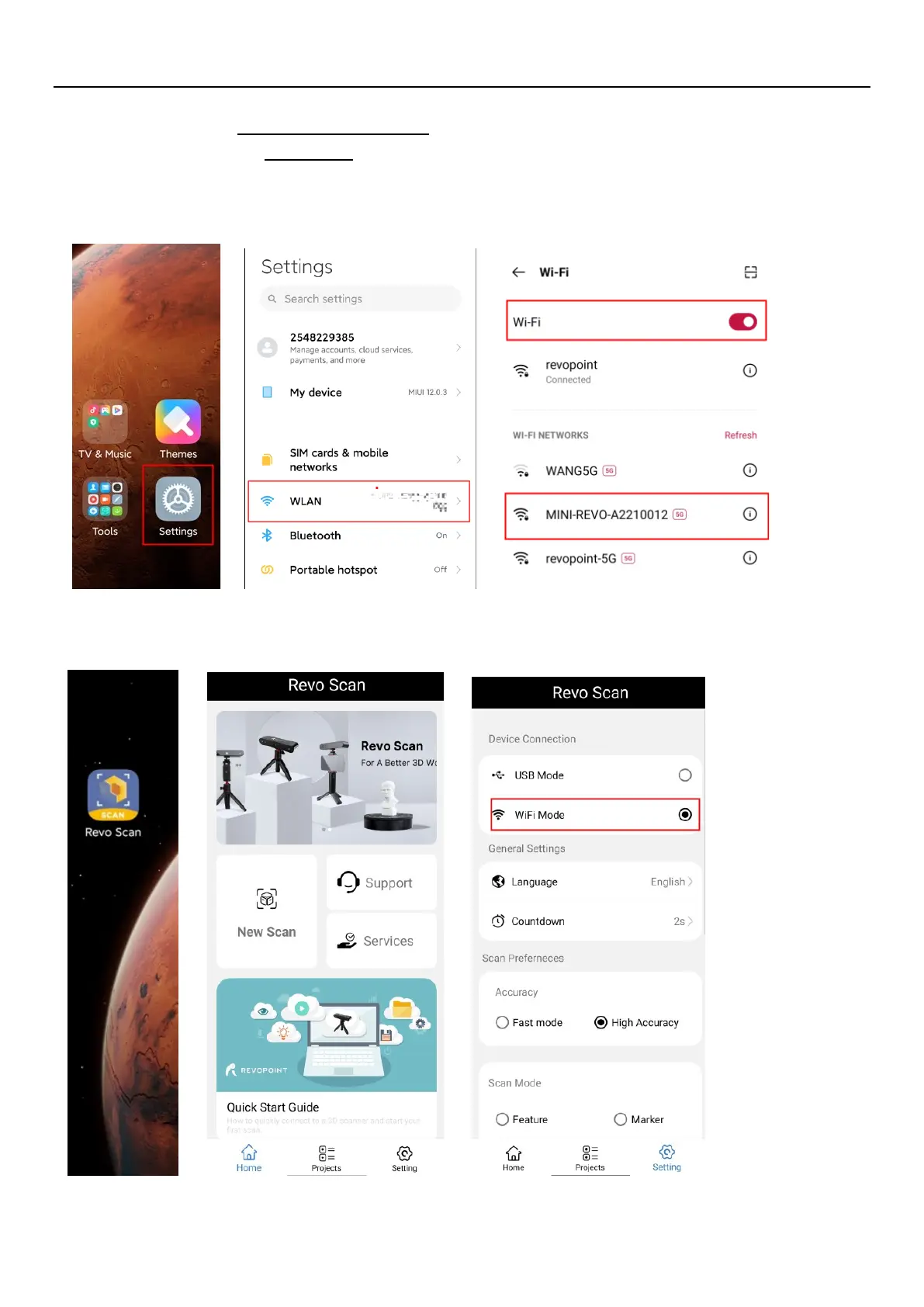
3. Connect to the Wi-Fi Provided by the MINI;
The default SSID is: MINI-REVO-XXXXXXXX
The default Password is: Revopoint3d
For example: If the Serial Number of a MINI 3D scanner is: A22100122A6F00A64. The Default SSID and Password
are: SSID: MINI-REVO-A2210012
Password: Revopoint3d
4. Open Revo Scan to confirm Connection Mode and Scan Settings;
Before scanning, select proper Accuracy, Scan Mode, Texture and Model Format according to your demand.


 To Next Page