RANGE Quick Start Guide
©2023 REVOPOINT 3D ALL RIGHTS RESERVED 11
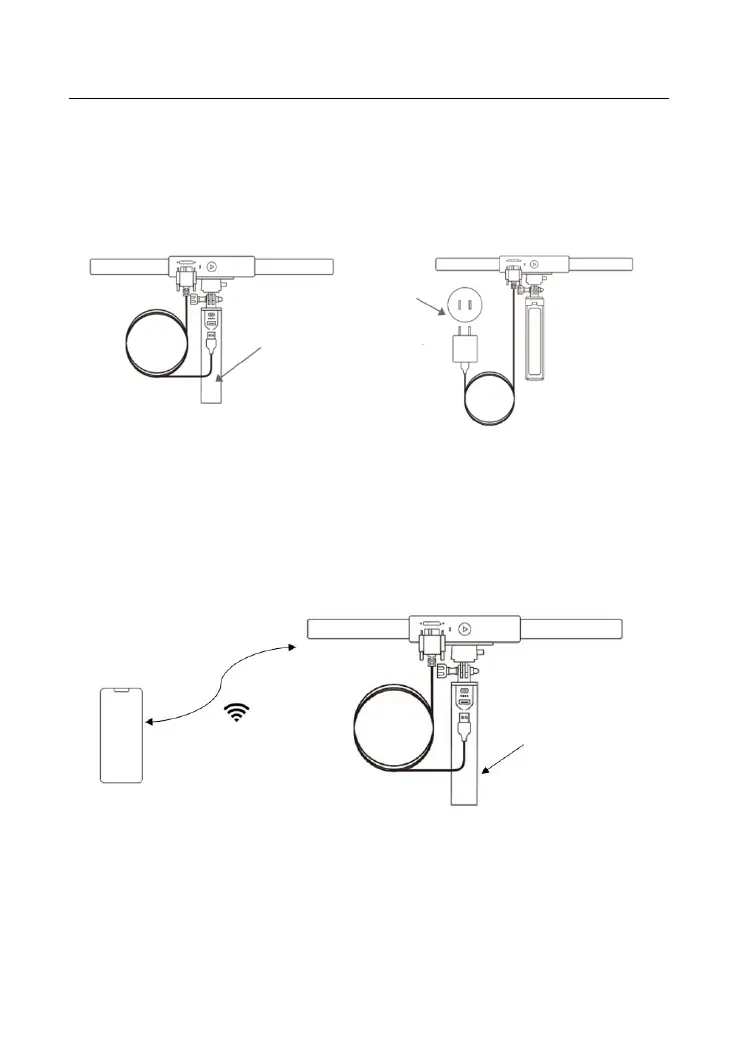
Connect the RANGE to a Phone Via Wi-Fi
Both Android and iOS Phones are compatible.
Step 1: Power the RANGE on via the Power Bank Handle or a Socket.
Step 2: Connect the Smartphone to the RANGE.
1) Go to your Wi-Fi setting on your smartphone, search for a network
called RANGE-XXXXXX and connect. (No password is required)
2) Wait a few seconds for the scanner to be connected.



 To Next Page