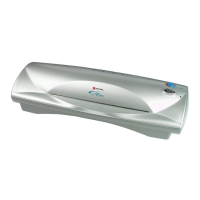
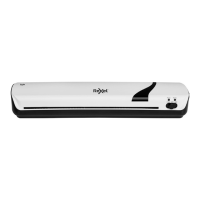
ILLUSTRATED PARTS MANUAL
LM35, LM45 LAMINATORS
Rexel Business Machines, Westbank, Droitwich Spa, Worcestershire. WR9 9AP England
Tel: +44 (0) 1905 771555 Fax: +44 (0) 1905 823374
9
SECTION 1
Removal and Replacement of Top Cover
1 Ensure that the mains cable is disconnected from the supply.
2 Remove the two fixing screws from the rear of the machine.
3 Slide top cover forward to unclip it from the front fixings.
4 Remove metal switch blanking plate from inside the top cover.
5 Replace the top cover with the new one and reverse above
procedures to secure the new top cover in place. Replace switch
blanking plate.
SECTION 2
Removal and Replacement of Entry/Exit Mouldings
1 Remove top cover as explained in Section 1.
2 There are two screws, one securing each entry moulding to the
bottom ellipse -remove these.
3 To replace entry mouldings, slide into position and secure with
screws. [LM45] -- ensure microswitch actuator is positioned in its
slot in the front moulding before fixing down.
4 Replace top cover. (Section 1).
SECTION 3
To Remove and Replace the Head
1 Invert the machine and remove two screws which hold in place
both the PCB and its cover.
2 Release three push fit connectors from the PCB (1 x 2 way--
thermistor, 1 x 2 way mains and 1 x 4 way heater/motor (LM35),
1 x 3 way heater and 1 x 2 way motor (LM45)) and put aside the
pushbutton actuators.
3 Remove top cover (Section 1).
4 Remove entry mouldings (Section 2).



 To Next Page