2120
IR Night Vision Mode
Default IR night vision mode is a Manual function
and the IR night vision indicator is o after starting the
device. The optical lter switch uses a color lter, which
is suitable for application at daytime. Use the optical
lter switch to manually switch to IR night vision mode
at night. In the power-on state, hold the UP key under
the preview screen to enable IR mode. Now the IR light
is ON and shows red. The image changes into a black
and white image under the preview screen or during
camera shooting. Hold the UP key again to turn o the
IR mode. Now the IR light is OFF and the image restores
color image under the preview screen or during camera
shooting. Pressing the UP key allows you to switch
between daytime working mode and night working mode. If
automatic switching is desired, you may set the IR control
to Auto in the menu. Now, the recorder may automatically
switch to IR night vision mode according to ambient the
brightness of light.
Deleting a File
You cannot delete any video le from the memory card
by using the device itself. To delete a video le, you must
connect the device to a computer and delete it from the
USB drive via the computer.
Videos and Photos Review/Playback
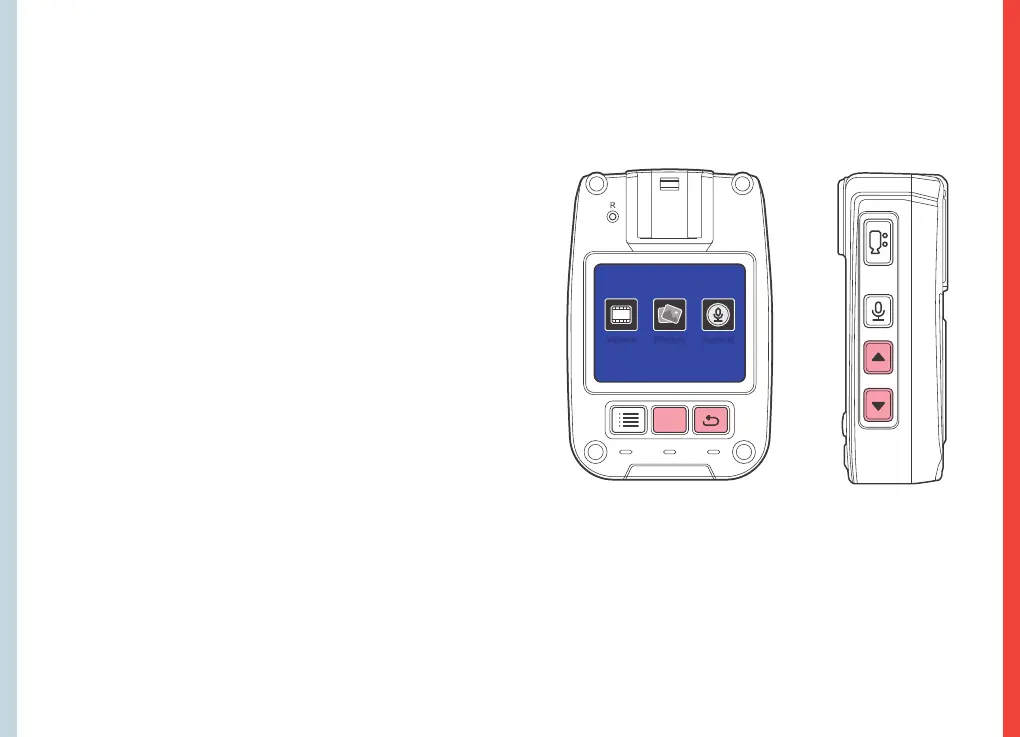
In the standby mode, press the RETURN key to check
the playback list. Use the UP or DOWN key to select a
desired item as shown below:
Press the OK key to check the playback list. Use the UP
or DOWN key to select a le to play.
During playback, press the OK key to pause or play.
Press the RETURN key to return to the previous menu.
Videos Photos Audios
REXING P1 DEVICE — Video Review
R
OK



 To Next Page