7
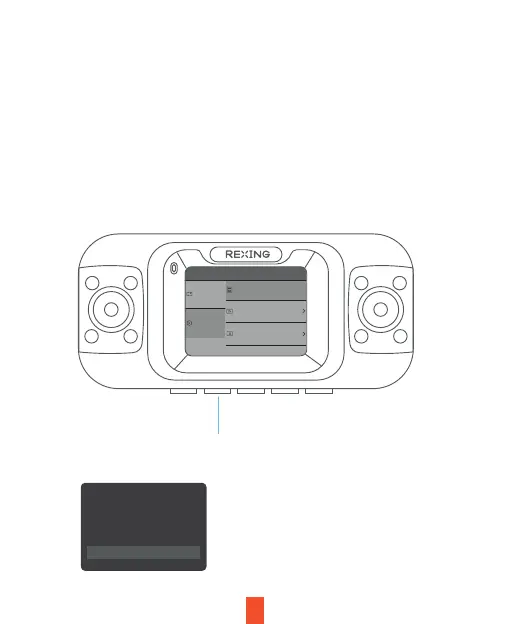
Press the Menu button twice and toggle
down to Format
Press the OK
button to confirm
formatting the card
Step 3: Power on the Camera and Format the
Memory Card
Power the camera by connecting the charger to the car cigarette lighter and camera.
Before you start using a new memory card, you MUST format the card within the
camera using the format function. Always backup important data stored on the
memory card before formatting.
To format the memory card, make sure you have inserted your memory card, then
turn on the device by connecting to a power source. Press OK to stop recording. Then
press the MENU button twice to enter the Menu.
Video Settings
Format
System Settings
8527 MB
Screen Saver
Language
English
Close
General
Settings
All date will be
deleted
OK
Cancel



 To Next Page