Video Playback
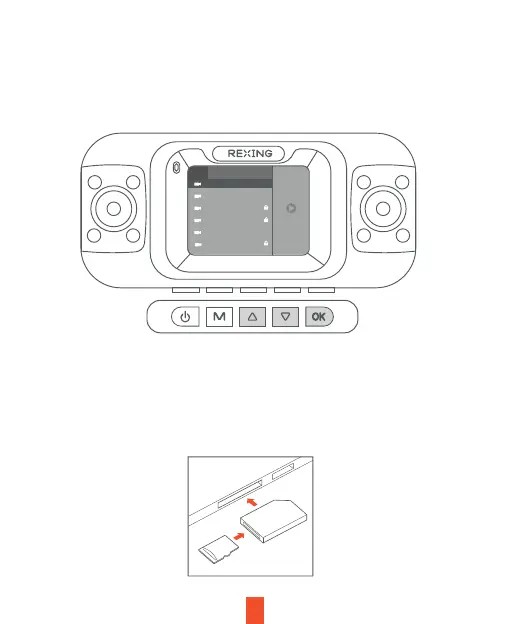
Playback of videos can be done on the device or a computer. To playback a video on
the device, hold MENU button and toggle to the Playback mode. Use the UP and
DOWN navigation buttons to toggle to the desired video. Press the OK button to play.
During playback, use the OK (pause), UP (rewind) and DOWN (fast forward) buttons
to control the video playback.
To playback a video using an SD card adapter, remove the memory card and insert it
into an SD card adapter. Place the adapter in the computer. Then place the adapter
into the computer.On the computer, navigate to device drive. Then select the video
to playback.
Front Left Right Rear
1/54
20221214_142429
20221214_142404
20221214_1422221
20221214_142021
20221214_141817
20221214_141617
12



 To Next Page