Wi-Fi Connect
Step 1:
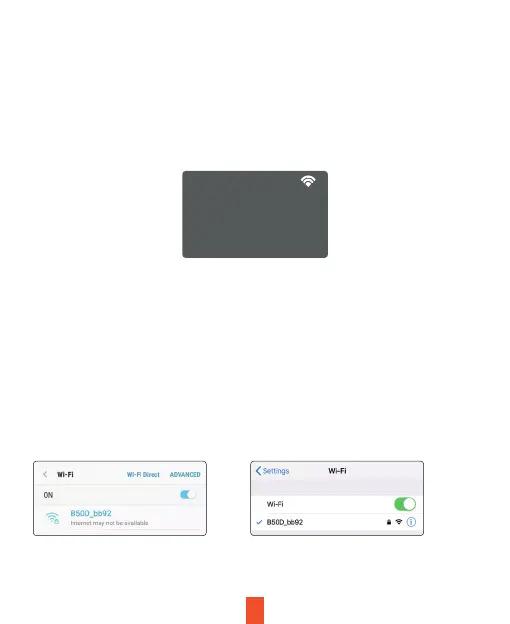
Go to system settings and enable the Wi-Fi function. The Wi-Fi name (aka the
SSID and password for the dash cam should be displayed on-screen.
Step 2:
On your mobile device, navigate to your Wi-Fi settings. Connect to your dash cam's
Wi-Fi by tapping its name when it appears. Enter your dash cam's Wi-Fi password if
you are prompted to do so.
Note: On same mobile devices, you may have to try to connect more than once. To
ensure you've successfully connected, your mobile device's screen should resemble
the examples shown.
WiFi Not Connected
WiFi
SSID: B50D_bb92
Password: 12345678
Samsung / Android Example iPhone / iOS Example
13



 To Next Page