A Smart Hardwire Kit (included in the package) is required to activate the parking
monitor feature. A USB cable cannot provide this function.
Note:
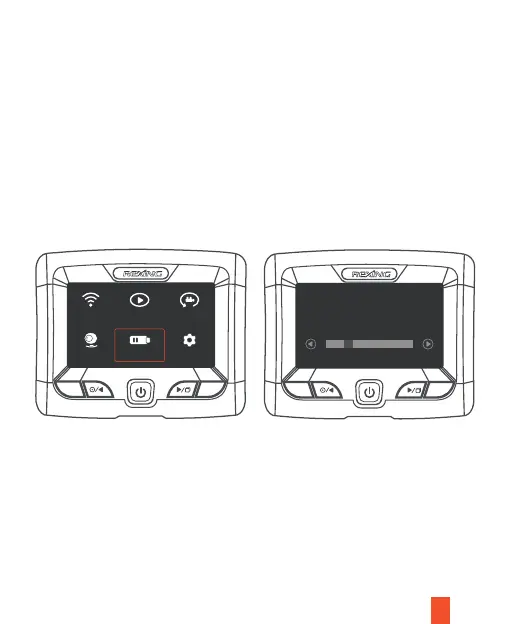
Parking Monitor
I. Power Voltage Protection
From the Power Voltage menu setup on the main menu, select a voltage
(11.8-12.5V)for switching off the device when the car engine is turned off for
parking. For example, 11.8V means that the device automatically switches off
when the detected vehicle battery voltage drops to less than 11.8V.
II. Monitoring Mode
In the monitoring mode menu setup on the main page, when a smart hardwire
connection is detected, turning on the parking monitor will enable modes: Super
Night Scene and Time-Lapse video monitoring.
18
Wifi Record Playback
Parking Power Volt Settings
M
OK
M
OK
Protect volt: 11.8 (V)



 To Next Page