28
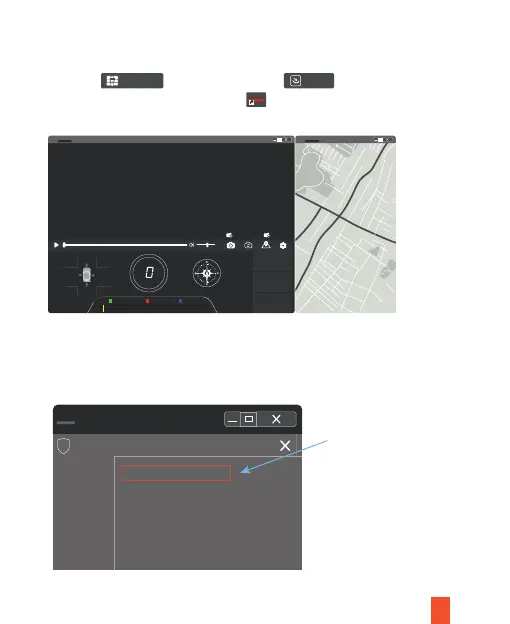
3. When LUCKY PLAYER is used and a pop-up message appears in the upper right
corner, place the cursor in the range of text and right click the mouse to view the
options. Select allow blocked content as shown below:
1.
Unzip file and then double click to install.
2. After installation you will see the icon on your desktop.
Double-click to use it, as shown below:
II. Installation and Operation of GPS Player
LUCKY PLAYER
setup.en
LUCKY
p l a y e r
ADD REMOVE
N 0’0’0.00”
E 0’0’0.00”
Max Speed
0
km/h
Average Speed
0
km/h
km/h
Total Distance
0
km/h
Y 0.00X 0.00 Z 0.00
LUCKY
p l a y e r
Lucky Player
LUCKY
p l a y e r
Map
Archive Auto Picture In PictureHelpView Map
00:00:00
LUCKY
p l a y e r Map
To assist ensure security protection, your web browser has been blocked
Allow blocked content
Any risk?
Open desktop
Help, notice bar
Open desktop
!



 To Next Page