16
Wi-Fi Connect
Step 1
Step 2
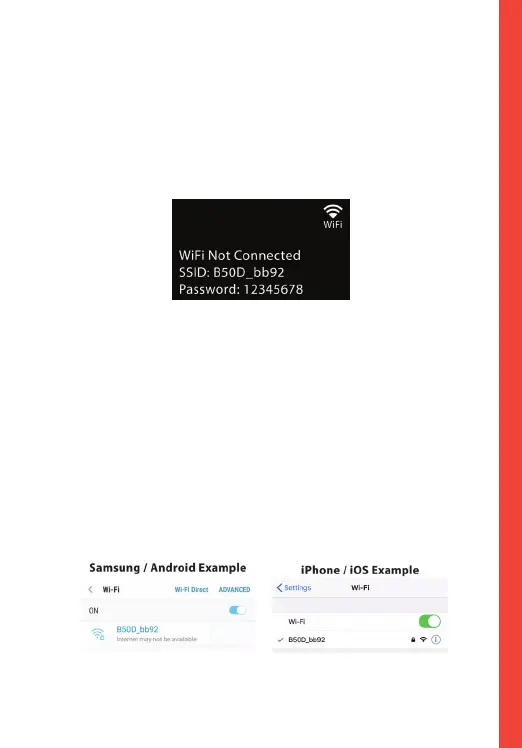
With your dash cam powered on, hold the REC navigation
button to enable the Wi-Fi function. The Wi-Fi name (aka
the SSID) and password for the dash cam should be
displayed on-screen.
On your mobile device, navigate to your Wi-Fi settings.
Connect to your dash cam's Wi-Fi by tapping its name when
it appears. Enter your dash cam's Wi-Fi password if you are
prompted to do so.
Note: On same mobile devices, you may have to try to
connect more than once. To ensure you've successfully
connected, your mobile device's screen should resemble the
examples shown.



 To Next Page