3
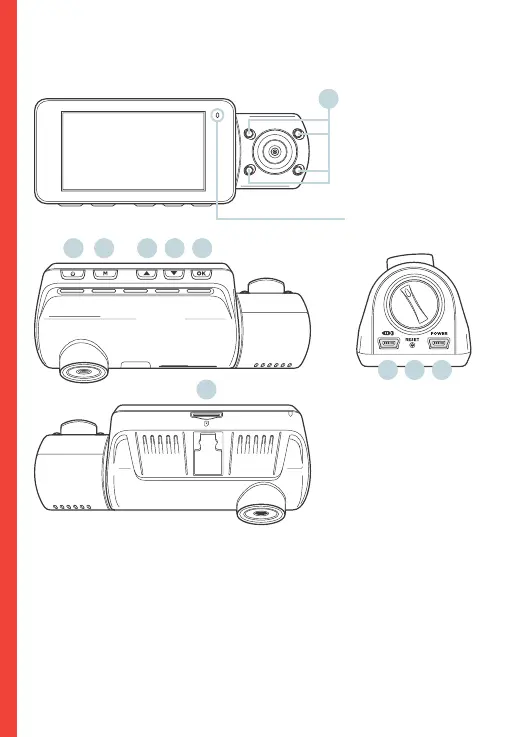
2. Camera Overview
1. 4 IR Lights
2. Power Button / Screen Toggle Button
3. Menu Button / Playback Button
4. Up Button / Mode Button / Wi-Fi Button
5. Down Button / Mic Button
6. OK (Confirm) Button / Video Lock Button / Record Button
7. Micro SD Card Slot
8. Power / USB Charging Port
9. Reset Pinhole
10. Rear Camera Port
7.
2. 4. 5.3. 6.
9.10. 8.
1.
The camera is recording
when the LED is flashing
red. The device is charging
or powered on when the
LED is solid red.



 To Next Page