Use the UP and DOWN navigation buttons and go to the
Format setting. Press the OK button to confirm the selection.
You may now disconnect from power. The camera will shut
down after 3 seconds. The camera should begin recording
automatically the next time it is powered on.
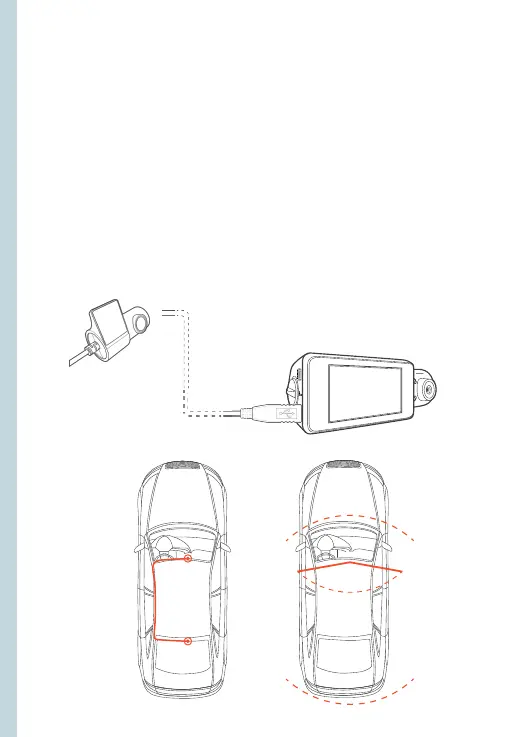
Step 4: Mount the Rear Camera
Mount the rear camera as shown below. Use rear camera cable
to connect the rear camera to the V33 Plus camera.
front
cabin
rear
7



 To Next Page