Step 3
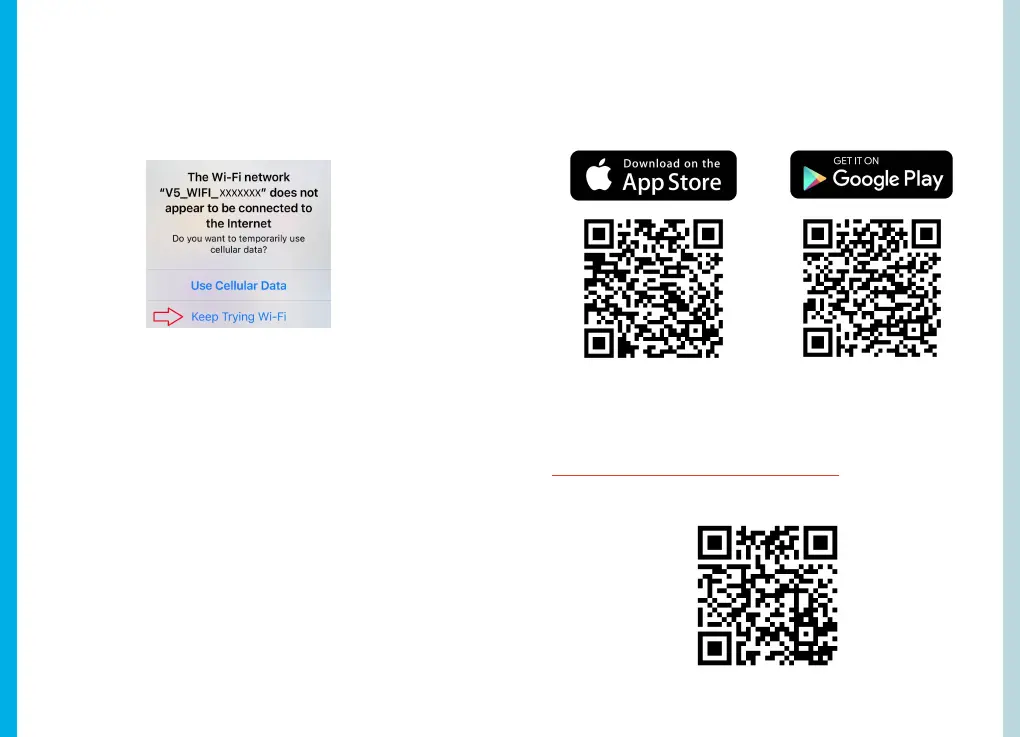
Once you're connected to the dash cam, open the Rexing
Connect app on your mobile device. Please select "Keep
Trying Wi-Fi" if you see the notification on the right.
Step 4
In the app, hit the "Connect" button to connect to your dash
cam, allowing you to access live view and view/download
your recordings.
Note: Hold to the UP button for 2 seconds to disconnect
the Wi-Fi.
4.3.1 Rexing Connect App
Easily download the app by scanning the QR code below or
search via the App Store or Google Play.
4.3.2 Wi-Fi Connect Troubleshooting
If you bring up the Rexing connect app and cannot connect
your phone to the dash cam please go to
https://www.rexingusa.com/wifi-connect/
OR scan the QR code below.
27
26



 To Next Page