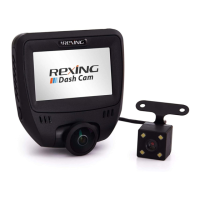
98
2. Camera Overview
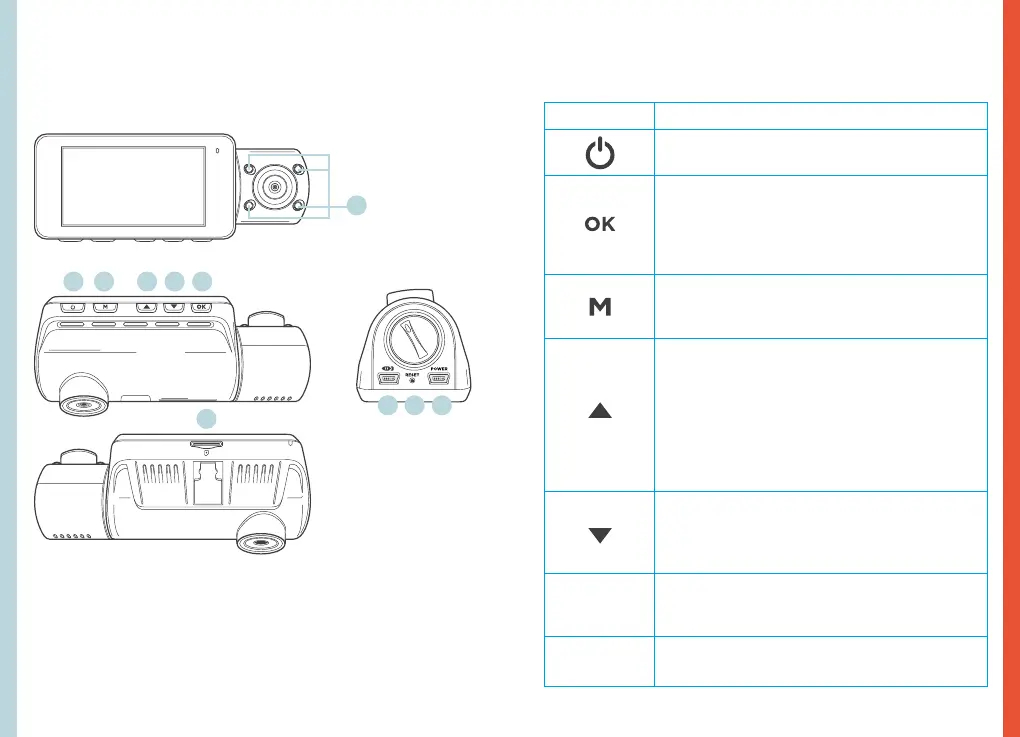
Device Layout
Buttons
Button Function
Press: Display on or off
Hold: Turn the device on or off manually
Menus: Confirm a selection
Video Mode: Start/stop recording; Hold to
lock current recording
Photo Mode: Take photos
Playback Mode: Start/stop playback
Press: Enter menu, toggle through menus
or exit current menu
Hold: Change modes
Menus: Move selection up
Hold (Video or Photo Mode): Enable
Wi-Fi feature
Playback Mode: Decrease or reverse
playback speed / Cycle left through
recordings
Press (Video or Photo Mode): Change front /
rear camera views
Menus: Move selection down
Video Mode: Toggle audio recording
Playback Mode: Increase playback speed /
Cycle right through recordings
RESET
Press and hold for 4 seconds to reset the
device in the event that it operates erratically,
hangs up, or freezes
LED Indicator
Flashing Red: Recording
Solid red: Charging
1. 4 IR Lights
2. Power Button / Screen Toggle Button
3. Menu Button / Playback Button
4. Up Button / Mode Button / Wi-Fi Button
5. Down Button / Mic Button
6. OK (Confirm) Button / Video Lock Button / Record Button
7. Micro SD Card Slot
8. Power / USB Charging Port
9. Reset Pinhole
10. Rear Camera Port
1.
7.
2. 4. 5.3. 6.
9.10. 8.



 To Next Page