
 Need help?
Do you have a question about the Rexroth Indramat DKC03.3-040-7-FW and is the answer not in the manual?
Introduction to ECODRIVE03 drive controllers, covering project planning aspects.
Overview of ECODRIVE03 drive controllers, including document purpose and revisions.
Document detailing project planning for ECODRIVE03 drive controllers.
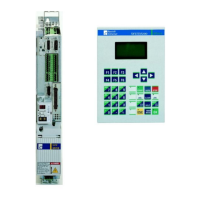
Details the ECODRIVE03 drive package and its typical application areas.
Provides a block diagram and overview of the ECODRIVE03 family components.
Summarizes communications interfaces and measuring systems supported for ECODRIVE03.
Table showing supported communication interfaces across different device types.
Details how to connect various measuring systems to encoder inputs.
Explains the structure and fields of the DKC drive controller type code.
Explains the type code structure for the BZM auxiliary braking resistor module.
Explains the type code structure for the CZM auxiliary capacitance module.
Defines appropriate use of Rexroth Indramat products and user responsibilities.
Outlines conditions and scenarios considered inappropriate use.
Instructions for initial startup to eliminate risks of harm or material damage.
Explains hazard seriousness according to ANSI Z535, detailing warning symbols and their meanings.
Details hazards associated with improper use, such as electric shock, dangerous movements, and hot surfaces.
Provides general guidance on product usage, installation, and compliance with regulations.
Safety measures for preventing contact with live electrical parts, including discharge times and protective housing.
Safety guidelines for connections and terminals with voltages between 0 and 50 Volts.
Addresses hazards from faulty control of motors and unintended machine movements.
Specifies ambient temperature, altitude, and humidity requirements for operation.
Electrical data for mains connections and power sections of DKC**.3-040-7-FW and DKC**.3-100-7-FW.
Illustrates front view of DKC**.3-100-7-FW and DKC**.3-040-7-FW with connector designations.
Details electrical connections for various interface types across DKC models.
View of the interface to command communications for the Parallel Interface.
Shows the front view of the DKC**.3-016 drive controller with connectors.
Requirement for permanent connection of ECODRIVE03 drive controllers to the power supply network.
Discusses operation on three-phase networks and protection against overvoltages.
Explains recommended control circuits and the function of the ready-to-operate Bb contact.
Details the use of the E-stop function for drive-internal error reactions.
Describes the function and limitations of the internal DC bus dynamic brake.
Guidance on selecting mains contactors and fuses, including current calculation.
Formulas for calculating mains-side phase current for selecting contactors and fuses.
Formula for computing charging current inrush for selecting appropriate components.
Table for selecting appropriate fuses and contactors based on phase current and lead cross-sections.
General guidelines for problem search and unit replacement, emphasizing diagnostic display usage.
Step-by-step procedures for replacing drive controllers, motors, and cables with safety precautions.
Detailed steps for safely removing and installing a drive controller, including capacitor discharge.
Procedure for replacing motors, including safety warnings and reference re-establishment.
Safety instructions for replacing cables, emphasizing high-voltage precautions and using approved cables.
Steps for replacing the parameter module and firmware module.
Procedures for securing parameters, switching off the controller, and removing/inserting the module.
Steps for replacing the firmware module, including screw removal and module insertion.
Procedures for replacing the entire programming module, including securing parameters and loading them.
Steps for replacing firmware using DOLFI, including parameter setting and file transfer.
 General
| Brand | Rexroth Indramat |
|---|---|
| Model | DKC03.3-040-7-FW |
| Category | Controller |
| Language | English |


 To Next Page