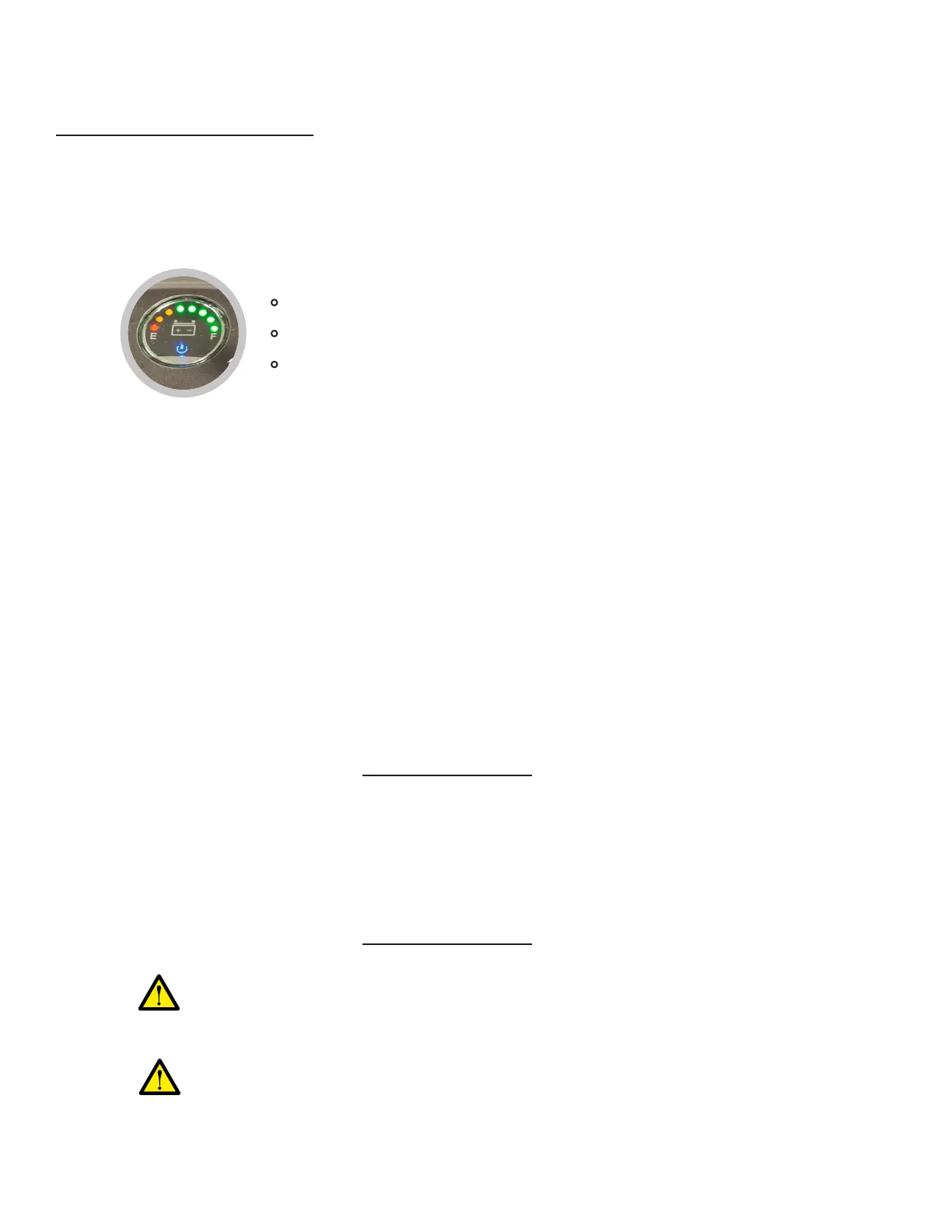
Battery level indicator2)
Speed adjustment knob3)
Locate the battery level indicator on the console = a circular display with LED light
indicators, marked with “E” (empty) on the left side and “F” (full) on the right side.
•
The battery level indicator shows the amount of battery life remaining.•
It is recommended to always charge the Cruiser back to 100% battery life after each
use, in order to prevent the risk of battery level going to 0% during usage.
•
Locate the speed adjustment knob on the console = a twist knob marked with a turtle
icon (representing “slower speed”) on the left side and a rabbit icon (representing
“higher speed”) on the right side.
•
The speed level indication mark (white line) on the speed adjustment knob shows the
current speed level.
•
The more the indication mark is turned to the right (towards the rabbit icon), the greater
the speed.
•
How to use the console (cont.)
Note that while the Cruiser is charging, the battery level indicator will NOT turn on to
show charging progress. (Charging progress is indicated by the light on the charger
itself.)
•
Maximum built-in speed is 3.75 mph (6 km/h).•
Green lights = 35 – 100% battery life remaining
Yellow lights = 12 – 35% battery life remaining
Red light = 0 – 12% battery life remaining
The maximum built-in speed CANNOT be exceeded.
First ensure that you are NOT touching the dual throttle control levers, to avoid any
accidental movements of the Cruiser before you are ready.
•
Gradually twist the speed adjustment knob to the right to increase the speed.•
The more the indication mark is turned to the right (towards the rabbit icon), the greater
the speed. Maximum speed has been reached when the knob is fully turned to the right.
•
Maximum built-in speed is 3.75 mph (6 km/h).•
It is strongly recommended that the user rst PRACTICE gradually increasing
the speed in a safe environment, so that the user can become familiar with the
various speed levels.
How to Operate Your Cruiser (Cont.)
35


 To Next Page