EasyManua.ls Logo

REYHEE CRUISER - User Manual

REYHEE CRUISER
52 pages
Print Icon
To Next Page IconTo Next Page
Loading...
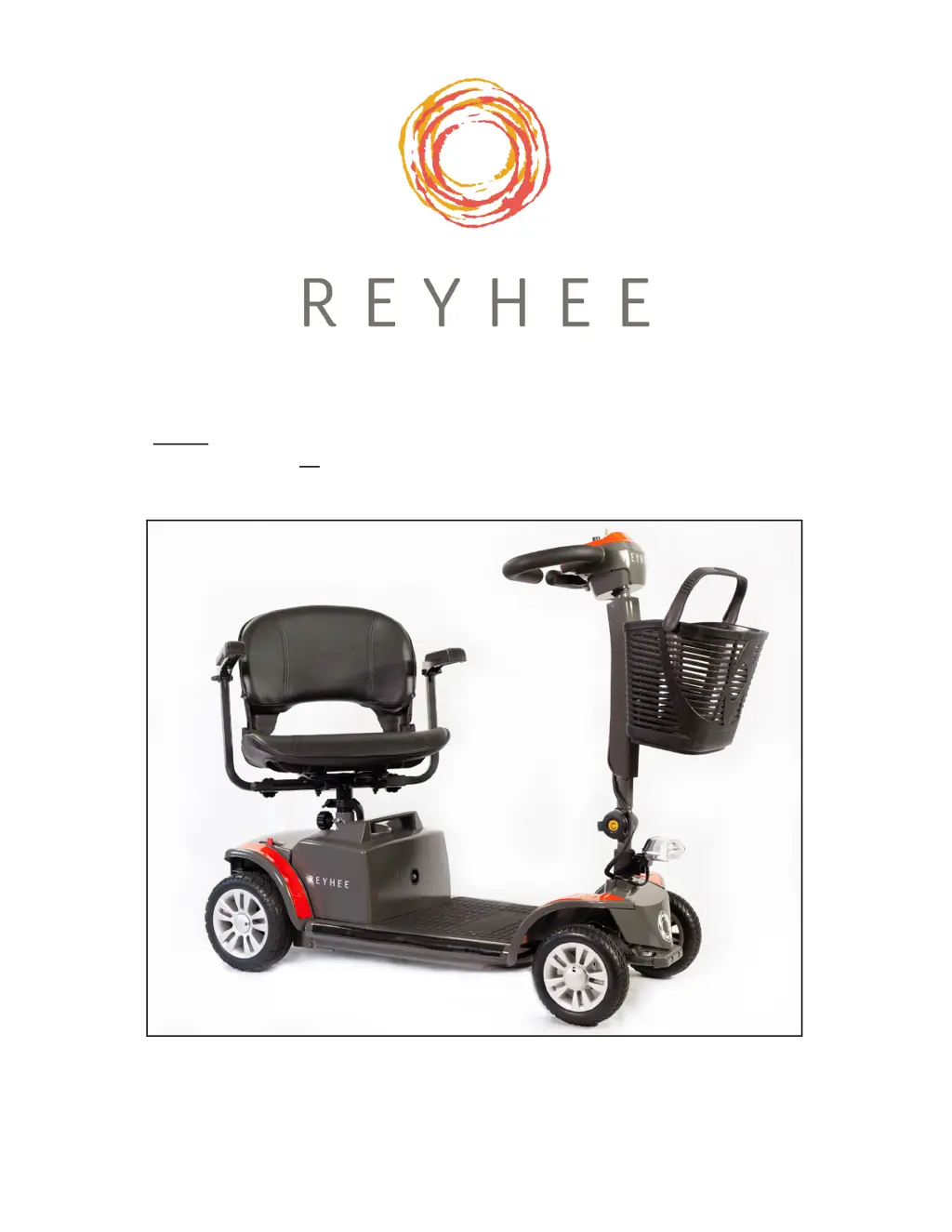
Before using your new REYHEE Cruiser electric mobility scooter, please read
and comprehend all warnings, cautions, and safety instructions as labeled on
the product packaging box, on the product itself, and in this user manual.
SKU number: R100
FDA Certied Class II Medical Device
www.reyhee.com
USER MANUAL: CRUISER

Questions and Answers

  • C
    Cristina HernandezJul 29, 2025
    Why is my REYHEE CRUISER not powering on?
    • R
      Robert GriffinJul 30, 2025
      Your REYHEE Scooter might not be powering on due to a couple of reasons: * The power or controller cables might not be properly connected. Ensure all cable connections are secure. * The battery level could be too low. Use the charger and charging cable to charge the scooter, making sure the electrical outlet is working.
  • T
    Tyler SwansonAug 8, 2025
    What to do if my REYHEE CRUISER Scooter suddenly shut down?
    • D
      Douglas PerezAug 8, 2025
      If your REYHEE Scooter shuts down suddenly: 1. The battery level may be empty. Charge the scooter's battery pack using the charger and charging cable. 2. The circuit breaker on the battery pack may have tripped. Wait two minutes, then push the circuit breaker to reset it. If the breaker trips frequently, stop using the scooter and contact customer support.
  • B
    bethanyalvaradoAug 18, 2025
    How to fix a REYHEE Scooter console that is not working?
    • A
      Alexandra RogersAug 19, 2025
      If the console on your REYHEE Scooter isn't working, here's what you can check: * First, ensure the power is on. If it is, the console or power cable may be defective, so contact customer support for more information. * The battery level might be too low. Use the charger and charging cable to charge the scooter, and make sure the electrical outlet is functional.

Summary

Assembly

Installing the Headlight

Instructions for attaching the headlight to the scooter.

Installing and Adjusting the Tiller

Guidance on fitting and positioning the tiller.

Tiller Adjustment

Procedures for setting the tiller to the user's preferred position.

Securing Main Body to Rear Section

How to connect the main body to the rear section.

Installing the Battery Pack

Instructions for connecting the battery pack to the terminal.

Installing the Upper Seat Post

Steps for inserting the upper seat post into the lower seat post.

Installing and Adjusting the Seat

Procedures for mounting and setting the seat.

Installing and Adjusting Armrests

Guide for attaching and adjusting the armrests.

Installing the Front Basket

Instructions for fitting the front basket.

Charging Instructions

On-board Charging

Method for charging the battery while it's installed on the scooter.

Off-board Charging

Method for charging the battery after removing it from the scooter.

Warnings

Important Safety Instructions

Critical safety guidelines and precautions for operation.

General Safety Instructions

Comprehensive safety directives for product use and maintenance.

How to Operate Your Cruiser

Troubleshooting

Warranty

REYHEE CRUISER Specifications

General IconGeneral
BrandREYHEE
ModelCRUISER
CategoryScooter
LanguageEnglish