7. Replacing Parts.
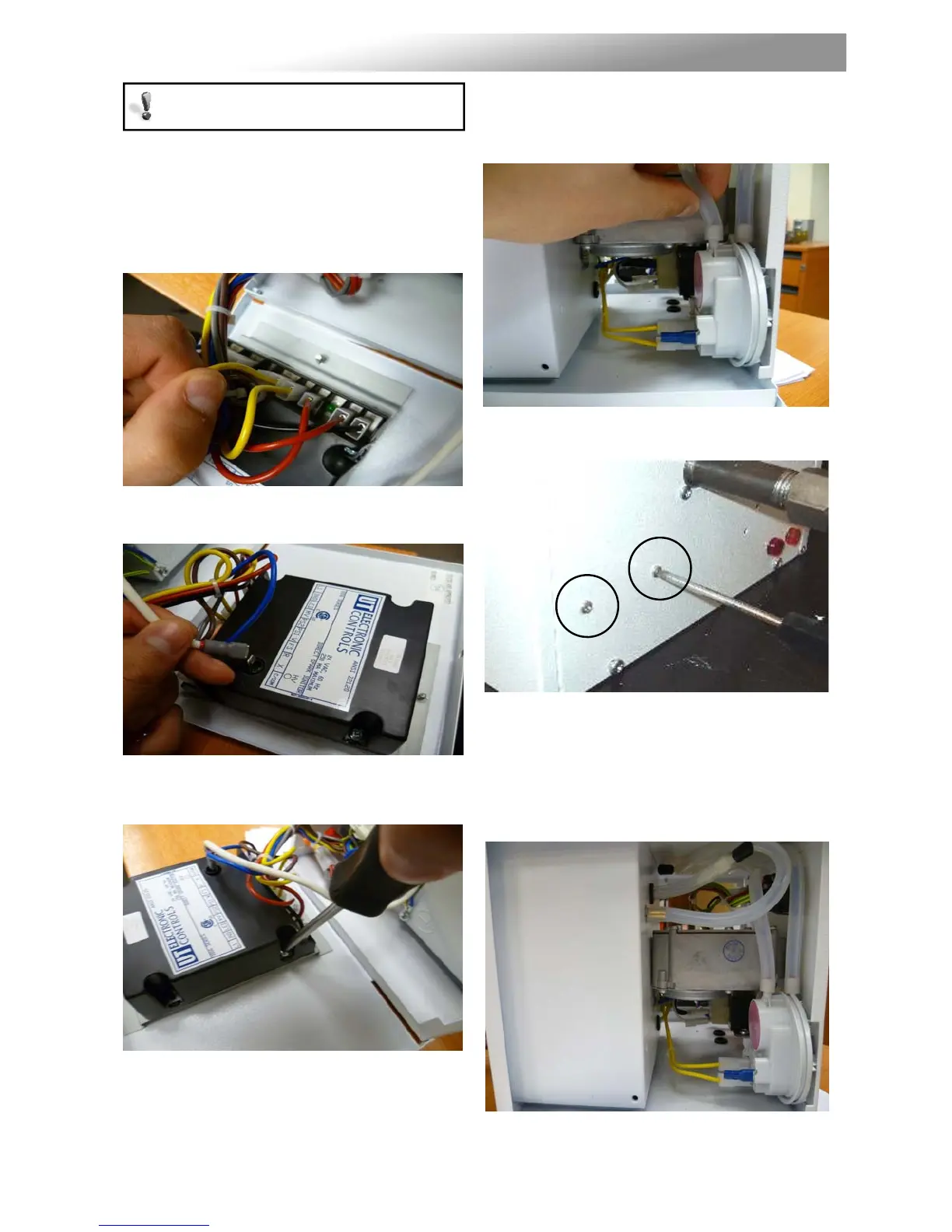
7.1 Burner Controller Replacement
Step 1: Loosen screw in right hand burner
access door and open.
Step 2: Disconnect burner controller from the
wiring harness.
Step 3: Disconnect the spark lead from burner
controller.
Step 4: Remove the two screws attaching the
controller to the burner door and remove.
Step 5: Attach new burner controller.
Step 6: Reattach leads.
Step 7: Test product and close access door.
7.2 Air Pressure Switch Replacement
Step 1: Open left hand door. Disconnect the two
silicone tubes from the pressure switch.
Step 2: Remove the two screws shown below.
Step 3: Remove electrical connections. The air
pressure switch can now be removed.
Step 4: Fit the new air pressure switch ensuring
the silicon tubes are connected as shown
below.
Step 5: Test product and close access doors.
Turn off gas and any electrical supplies to
the heater before starting repair work.


 To Next Page