10
Operating and installation instructions RF-KIT Power Amplifier RF2K-S
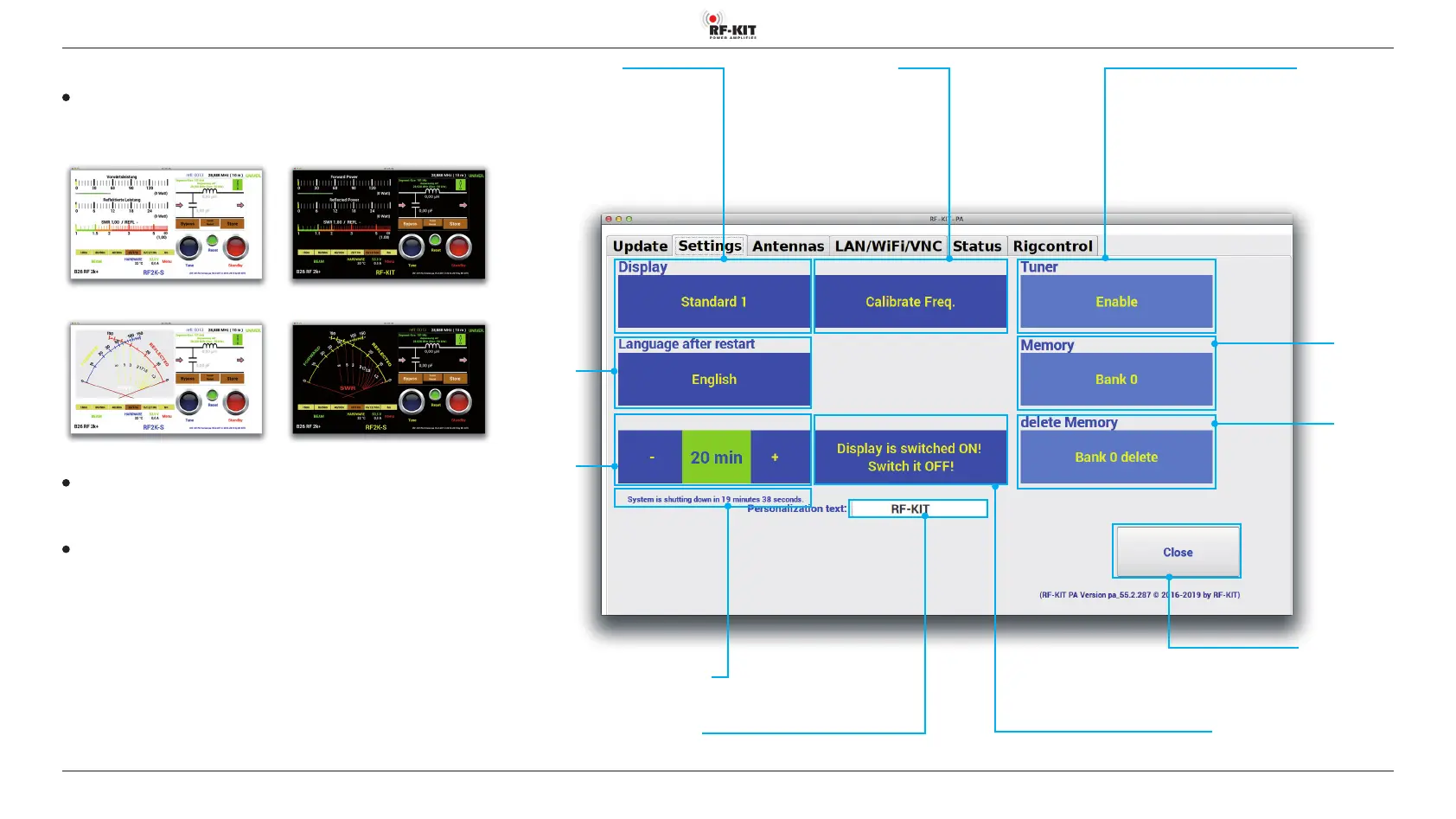
5.2.2 Settings
Display
Choose a GUI which you like
(Standard 1 / Standard 2 / Cross Pointer 1 / Cross Pointer 2):
Standard 1 Standard 2
Cross Pointer 1 Cross Pointer 2
Language after restart
Select language of the user interface
(German / English / French)
Sleep Timer
Activation is done by touching the green switching area in the middle. It
changes to red. If the now red switching area is touched, the sleep timer
is again deactivated and the switching area in the middle turns to green
again.
With „-“ or „+“ the sleep timer can be set. If no operation is performed
during the set duration, the device switches to „standby“ after the set
duration has expired.
Each activity at the Touchscreen (2) will reset the sleep timer to the set
duration and the countdown until the device switches to „standby“ will
start again.
Input box Personalization Text
Editing via a PC connected to the PA
Switching area Display is switched on!
Touching this switching area switches Touchscreen (2) on / o
Display of the remaining time until the device
switches to „standby“
Switching
area
Sleep Timer
Switching area
Language after
restart
(German/
English/
French)
Switching area Display
(Standard 1 / Standard 2 /
Cross Pointer 1 / Cross Pointer 2)
Switching area Calibrate Freq. Switching area Tuner
Touching this switching area
activates / deactivates antenna tuner
Switching area Close
Touching this switching area closes the user menu;
subsequently the main screen will be displayed
Switching
area
Memory
Switching
area
delete Memory



 To Next Page