11
Operating and installation instructions RF-KIT Power Amplifier RF2K-S
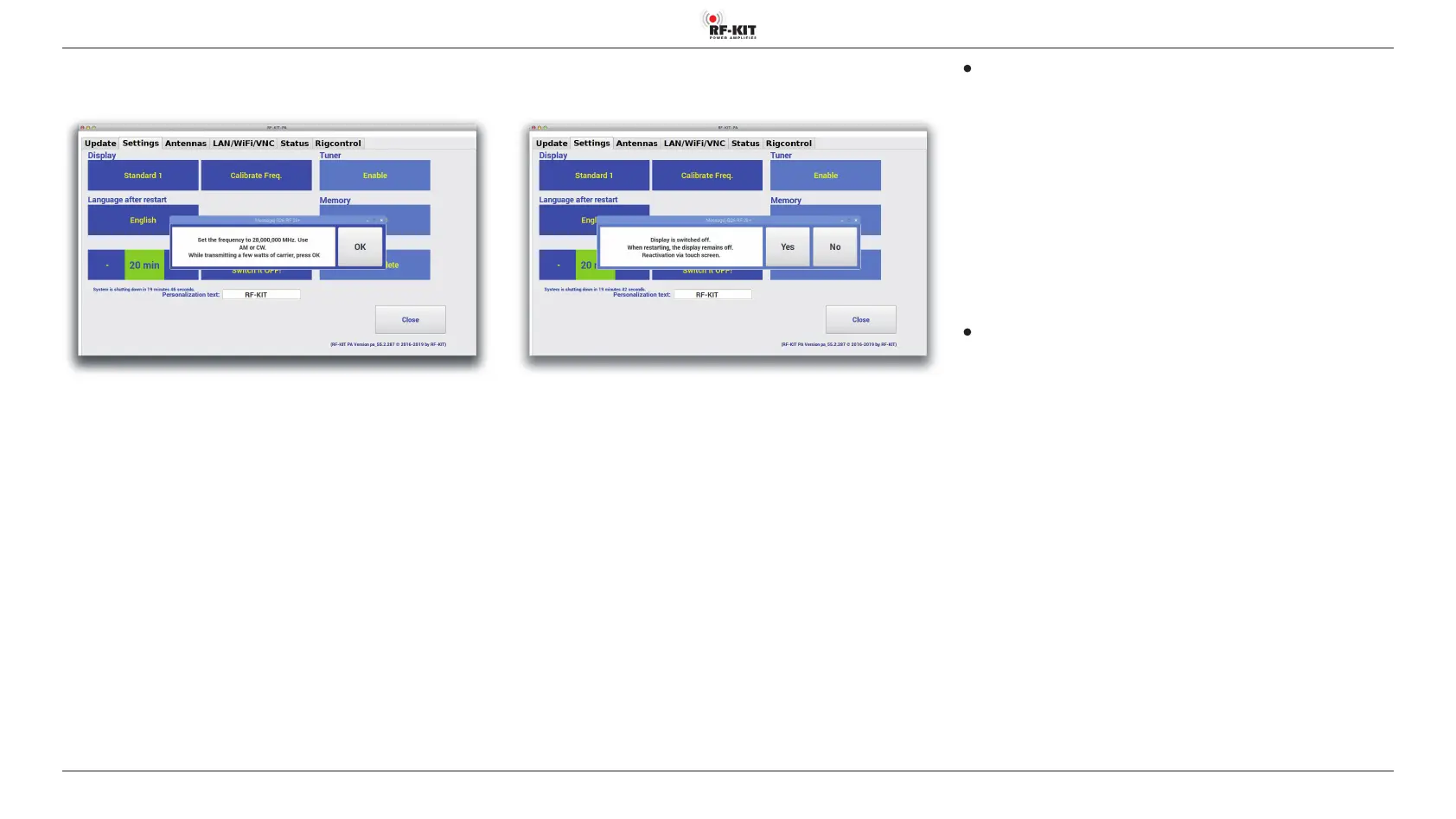
Activating/deactivating Touchscreen (2)
During remote operation, it makes sense to turn o the Touchscreen (2).
► Touch the switching area Display is switched on!.
► Touching „Yes“ switches Touchscreen (2) off.
► Touching „No“ keeps currently selected option.
Calibrate Freq.
After a replacement of the processor, it must be recalibrated to enable
exact frequency measurement and indication of frequency:
► Touch the switching area Calibrate Freq.
► Set the frequency 28,000 MHz on TRX (AM or CW), confirm the setting
by touching „OK“.
Tuner
Choosing „Enable“ activates the antenna tuner.
Choosing „Disable“ deactivates the antenna tuner.
If „Disable“ is choosen, the switching areas Memory and delete Memory
vanish.
- Memory Bank (0 - 9)
Choose antenna tuner memory bank (0-9).
- delete Memory (0 - 9)
Erase antenna tuner memory bank (0-9).
Edit personalization text
► Click the text box, highlight and change the personalization text by
using mouse and PC keyboard.



 To Next Page