19
Operating and installation instructions RF-KIT Power Amplifier RF2K-S
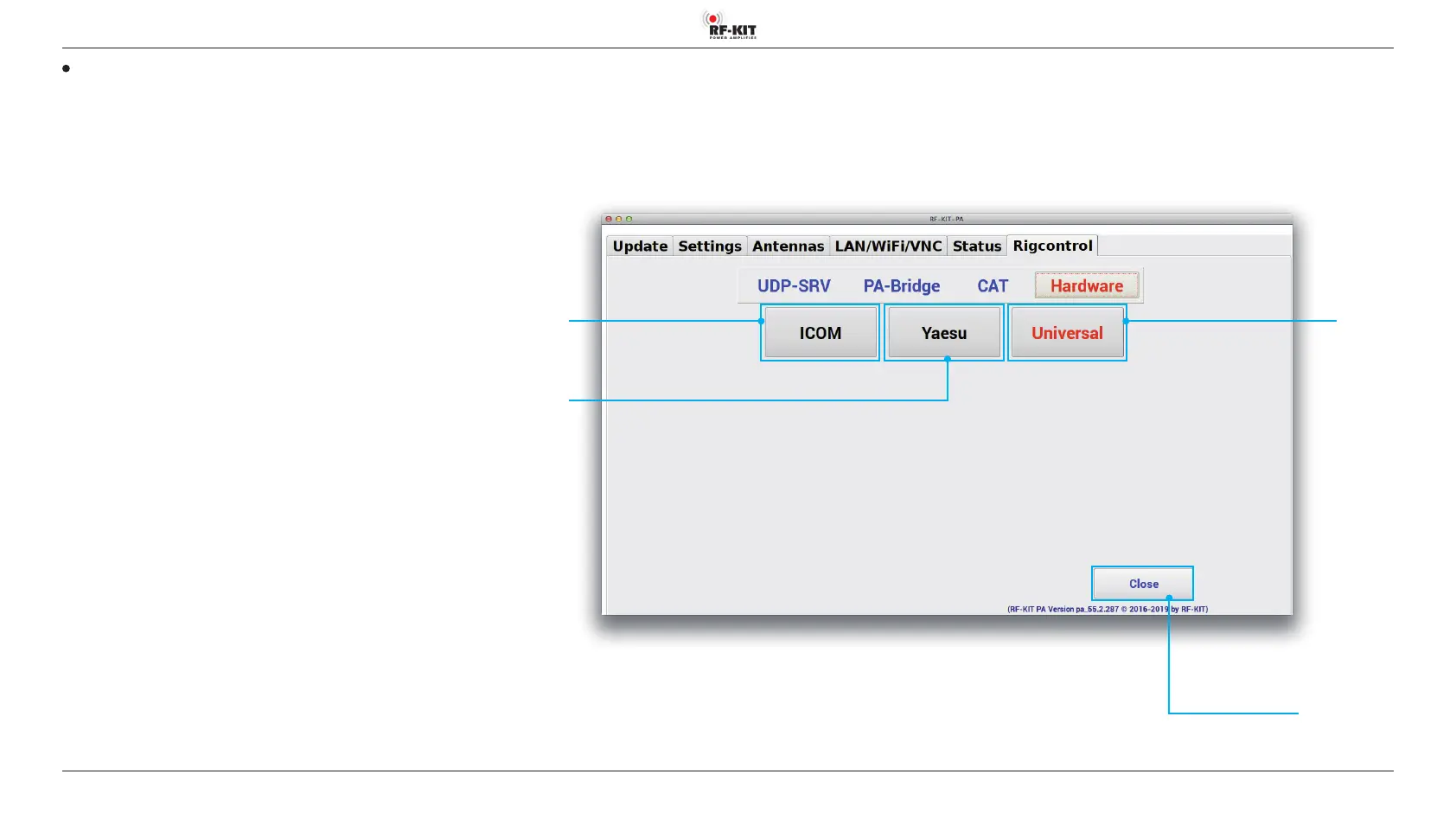
Hardware
Depending on the used exciter / transceiver the type and the protocol of
the data connection between exciter / transceiver and PA can be selected:
Switching area ICOM
Select this type of data connection if you are using a exciter / transceiver
by this manufacturer.
Switching area Yaesu
Select this type of data connection if you are using a exciter / transceiver
by this manufacturer.
Switching area Universal
No data connection to exciter / transceiver; the PA measures the transmis
-
sion frequency and congures itself accordingly.
Select this type of data connection if you are using a exciter / transceiver
which does not provide a data interface to transfer frequency data.
Switching
area
ICOM
Switching area Close
Touching this switching area closes the user menu;
subsequently the main screen will be displayed
Switching
area
Yaesu
Switching
area
Universal



 To Next Page