Icon Description
Swap Screens
Swaps the screen positions
This icon appears only when the split screen is turned ON.
• page 46 "Switching the screen placement"
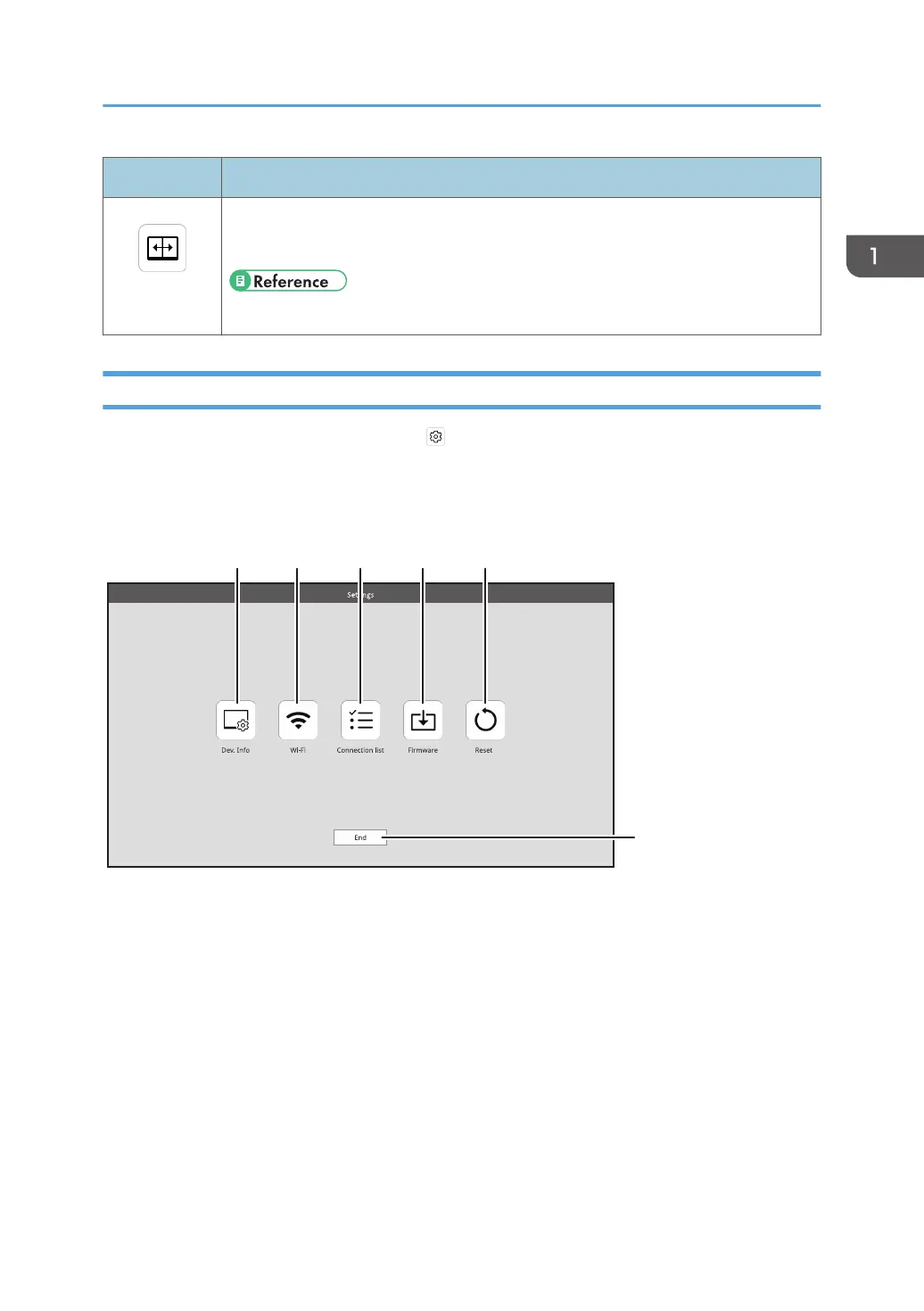
Settings Screen
This screen is displayed by touching [Settings] ( ) on the Waiting to Connect screen or on the
Connecting screen.
In the Settings screen, you can change or confirm the wireless connection settings.
When the Settings screen is displayed from the Connecting screen, only the settings can be confirmed.
1. Dev. Info
You can change the device name and display language of this machine.
For details, see page 53 "Dev. Info".
2. Wi-Fi
You can change network settings.
For details, see page 53 "Wi-Fi".
3. Connection list
You can manage the connected devices.
For details, see page 54 "Connection List".
4. Firmware
You can check and update the firmware version related to the wireless connection.
About the Wireless Connection Screen
17



 To Next Page