Getting Started
14
1
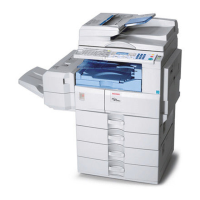
4. Internal tray
Copied/printed paper and fax messages
are delivered here.
Paper capacity: 250 sheets
5. Ventilation holes
Prevents overheating.
6. Main power switch
If the machine is not powered on after
pressing the operation switch, check that
the main power switch is turned on. If it
is off, turn it on.
7. Main power indicator
Lights when the main power switch is
turned on, and goes off when the switch
is turned off.
8. Operation switch
Press to turn the power on (the operation
switch indicator lights). To turn the pow-
er off, press again (the operation switch
indicator goes off).
9. Control panel
See “Control Panel”.
10. Front cover
Open to access the inside of the machine.
11. Paper tray
Load paper here.
12. Lower Paper Trays (optional)
See “External Options”.
Note
❒ When paper larger than A3 or 11" × 17" is
delivered, release the 1 bin tray stand,
and then pull out the tray extension.



 To Next Page