EasyManua.ls Logo

Ricoh Aficio MP C2050 - User Manual

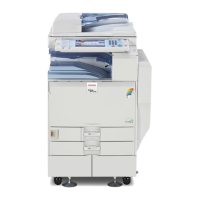
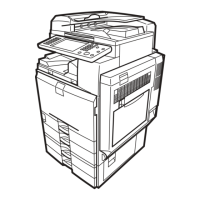
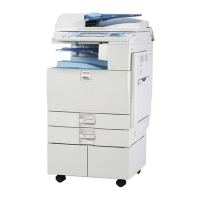
Ricoh Aficio MP C2050
328 pages
Print Icon
To Next Page IconTo Next Page
Loading...
9
7
8
10
Getting Started
Administrators/Authentication and its Application
Users/Authentication and its Application
Protecting Document Data Information from Leaks
Protecting Information Transmitted Through the Network or
Stored on the Hard Disk from Leaks
Managing Access to the Machine
Enhanced Network Security
Specifying the Extended Security Functions
Troubleshooting
Appendix
1
2
3
4
5
6
Read this manual carefully before you use this machine and keep it handy for future reference. For safe and correct use, be sure to read the Safety Information
in "About This Machine" before using the machine.
Security Reference
Operating Instructions

Table of Contents

Other manuals for Ricoh Aficio MP C2050

Questions and Answers

  • B
    bmcgeeAug 18, 2025
    Why authentication has failed on my Ricoh Aficio MP C2050 All in One Printer?
    • J
      Justin BrownAug 18, 2025
      Authentication may fail on your Ricoh All in One Printer because: * The login user name or password may be incorrect. Contact your user administrator to verify your credentials. See the error codes B,W,L,I 0104-000, B,W,L,I 0206-003, or W,L,I 0406-003 for additional help. * The maximum number of registered users may have been reached. Delete unnecessary user addresses. See error code W,L,I 0612-005 for possible solutions. * There may be an issue accessing the authentication server when using Windows, LDAP, or Integration Server Authentication. Confirm the network with your LAN administrator. Refer to the error code table for specific instructions.
  • M
    megan76Aug 20, 2025
    What to do if my Ricoh Aficio MP C2050 All in One Printer says I do not have the privileges to use this function?
    • C
      Caleb WeeksAug 21, 2025
      If your Ricoh All in One Printer indicates that you lack the necessary privileges, it means the function you're trying to use hasn't been authorized for your account. If this occurs when using a function, the function isn't enabled in the Address Book management settings. The user administrator needs to authorize the function and assign the appropriate permissions. If this appears when specifying a default setting, the appropriate administrator must authorize the function based on the settings you're trying to adjust.
  • L
    Laura SheppardAug 23, 2025
    What to do if my Ricoh Aficio MP C2050 All in One Printer says 'Failed to decrypt password'?
    • W
      wallsmichealAug 23, 2025
      If your Ricoh All in One Printer is failing to decrypt the password, there are several potential causes: 1. A password error occurred, so ensure you've entered the password correctly. 2. 'Restrict Use of Simple Encryption' is enabled, meaning the administrator has restricted simple encryption. If this is the case, use the encryption key specified in the driver. 3. A driver encryption key error occurred. Verify that the encryption key is correctly specified on the driver.
  • D
    davidwagnerAug 26, 2025
    What does it mean when my Ricoh All in One Printer says Administrator Authentication for User Management must be set to on before this selection can be made?
    • D
      drandolphAug 26, 2025
      This message on your Ricoh All in One Printer indicates that administrator authentication is not configured under "Administrator Authentication Management." To use Basic Authentication, Windows Authentication, LDAP Authentication, or Integration Server Authentication, you must first configure administrator authentication. Refer to "Authentication Setting Procedure" for details on authentication settings.
  • C
    Claudia JordanAug 27, 2025
    What to do if my Ricoh All in One Printer says 'A user attempted authentication from an application on the "System Settings" screen, where only the administrator has authentication ability'?
    • C
      Connor YoungAug 28, 2025
      This message on your Ricoh All in One Printer means that only the administrator has login privileges on the System Settings screen. Log in as a general user from the application's login screen instead.
  • H
    harmonrogerAug 30, 2025
    What to do if my Ricoh Aficio MP C2050 All in One Printer says 'The account is locked because you have reached the maximum number of failed authentication attempts allowed'?
    • B
      barbara14Aug 30, 2025
      If your Ricoh All in One Printer displays this message, contact your user administrator to unlock the account.
  • J
    Jesse WilliamsSep 1, 2025
    What to do if my Ricoh Aficio MP C2050 says 'Failed to obtain URL'?
    • P
      powensSep 1, 2025
      If your Ricoh All in One Printer displays a 'Failed to obtain URL' error, it means the device can't connect to the server. Here's what you should do: * First, ensure the server's settings, including the IP address and host name, are correctly configured on the printer. Also, verify that the UA Server's host name is accurate. * Next, confirm that the UA service is correctly specified, as the service may not be responding properly. * If you're using SSL, ensure it's correctly specified on the server using Authentication Manager. * Finally, check that server authentication is correctly configured on the printer.
  • L
    Lucas JohnsonSep 3, 2025
    What to do if my Ricoh Aficio MP C2050 says 'The selected file(s) contained file (s) without access privileges. Only file(s) with access privileges will be deleted.'?
    • H
      harrisjamieSep 3, 2025
      This message from your Ricoh All in One Printer means you're trying to delete files without the necessary permissions. Only the file creator (owner) or a file administrator can delete files. If you need to delete a file you're not authorized to, contact the file creator (owner).
  • A
    Aaron BarreraSep 6, 2025
    What to do if my Ricoh All in One Printer says 'A TWAIN operation occurred during authentication'?
    • E
      Evelyn CoxSep 6, 2025
      If your Ricoh All in One Printer displays this message, ensure that no other user is currently logged on to the machine, and then try the operation again.
  • P
    Peter SchmidtSep 8, 2025
    What to do if my Ricoh Aficio MP C2050 says 'A login user name was not specified but a DeskTopBinder operation was performed'?
    • J
      Jaime MartinezSep 8, 2025
      Make sure to specify the DeskTopBinder login user name correctly on your Ricoh All in One Printer.

Summary

Getting Started

Setting Up the Machine

Step-by-step guide to configuring the machine's security settings and administrator account.

Enhanced Security

Explains how to improve security through authentication and access limits.

Security Measures Provided by this Machine

Outlines the machine's security features like authentication and encryption.

Limiting and Controlling Access

Covers methods to restrict access to machine settings and stored data.

Administrators;Authentication and Its Application

Administrators

Details the roles and responsibilities of different administrator types.

About Administrator Authentication

Explains the concept and types of administrator authentication.

Enabling Administrator Authentication

Provides instructions on how to activate and configure administrator authentication.

Registering the Administrator

Step-by-step guide for setting up administrator accounts and privileges.

Users;Authentication and Its Application

About User Authentication

Explains the purpose of user authentication for preventing unauthorized access.

Enabling User Authentication

Guides on activating and configuring user authentication methods.

User Code Authentication

Details the method of limiting access based on user codes.

Basic Authentication

Explains using the Address Book for user authentication.

Protecting Document Data Information from Leaks

Preventing Unauthorized Copying

Details embedding patterns to discourage or prevent unauthorized copying of documents.

Data Security for Copying

Explains securing copying by embedding hidden text patterns.

Specifying Access Permission for Stored Files

Covers setting permissions for accessing stored scan files and Document Server files.

Specifying Passwords for Stored Files

Explains setting passwords for stored files for enhanced protection.

Protecting Information Transmitted Through the Network or Stored on the Hard Disk from Leaks

Preventing Data Leaks Due to Unauthorized Transmission

Details methods to prevent data leaks during transmission via network.

Using S;MIME to Protect Email Transmission

Explains using S/MIME for encrypted email transmission and electronic signatures.

Encrypting Data on the Hard Disk

Guides on encrypting data stored on the hard disk to prevent leakage.

Deleting Data on the Hard Disk

Covers methods for overwriting and erasing data from the hard disk.

Managing Access to the Machine

Preventing Modification of Machine Settings

How to prevent unauthorized changes to machine settings by users.

Menu Protect

Setting permission levels for users to change machine settings.

Limiting Available Functions

Specifying which machine functions are accessible to users.

Managing Log Files

Covers viewing, deleting, and transferring machine log files.

Enhanced Network Security

Preventing Unauthorized Access

Methods to limit network access by IP address, ports, or protocols.

Encrypting Transmitted Passwords

How to encrypt passwords for transmission to prevent them from being analyzed.

Protection Using Encryption

Explains establishing secure communication using SSL, SNMPv3, and IPsec.

Transmission Using IPsec

Details on configuring IPsec for secure data packet transmission.

Specifying the Extended Security Functions

Specifying the Extended Security Functions

Overview of extended security features and their configuration.

Driver Encryption Key

Encrypting passwords transmitted during user authentication via printer drivers.

Encrypt Address Book

Guides on encrypting data stored in the machine's Address Book.

Enhance File Protection

Locking files with passwords to prevent unauthorized access and guessing attacks.

Troubleshooting

Authentication Does Not Work Properly

Addresses issues where users cannot operate the machine due to authentication problems.

Machine Cannot Be Operated

Provides solutions for scenarios where the machine is unresponsive to users.

Appendix

Supervisor Operations

Details supervisor roles in managing administrator accounts and passwords.

Machine Administrator Settings

Lists all settings configurable by the machine administrator.

Network Administrator Settings

Lists all settings configurable by the network administrator.

File Administrator Settings

Lists all settings configurable by the file administrator.

Ricoh Aficio MP C2050 Specifications

Ricoh Aficio MP C2050

General Specifications IconGeneral Specifications
output speed20 ppm BW & Full-Color
warm-up time25 seconds
first copy time full-color9.5 seconds
copy resolution600 x 600 dpi
original capacity50 sheets
dimensions23.1" x 25.8" x 33.3" (587 x 655 x 845 mm)
weight220 lbs
power requirements120V, 60Hz, 12A
Printer Controller IconPrinter Controller
cpuRM7035C @ 533MHz
memory768 MB (512 MB + 256 MB) RAM (Standard); 1GB RAM (Maximum)
max. print speed20 ppm BW & Full-Color
max. print resolution1200 x 1200 dpi
standard interfaces10Base-T/100Base-TX Ethernet (RJ-45), USB 2.0 Device, USB 2.0 Host I/F
Scanner Specifications IconScanner Specifications
scanner resolutionFrom 100 to 600 dpi (1200 dpi for TWAIN)
scanning speed bw41 ipm
scanning speed full-color26 ipm
scan area main scan11.7" (297mm)
scan area sub scan17" (432mm)

Ricoh Aficio MP C2550

General Specifications IconGeneral Specifications
output speed25 ppm BW & Full-Color
warm-up time25 seconds
first copy time full-color9.5 seconds
copy resolution600 x 600 dpi
original capacity50 sheets
dimensions23.1" x 25.8" x 33.3" (587 x 655 x 845 mm)
weight220 lbs
power requirements120V, 60Hz, 12A
Printer Controller IconPrinter Controller
cpuRM7035C @ 533MHz
memory768 MB (512 MB + 256 MB) RAM (Standard); 1GB RAM (Maximum)
max. print speed25 ppm BW & Full-Color
max. print resolution1200 x 1200 dpi
standard interfaces10Base-T/100Base-TX Ethernet (RJ-45), USB 2.0 Device, USB 2.0 Host I/F
Scanner Specifications IconScanner Specifications
scanner resolutionFrom 100 to 600 dpi (1200 dpi for TWAIN)
scanning speed bw41 ipm
scanning speed full-color26 ipm
scan area main scan11.7" (297mm)
scan area sub scan17" (432mm)

Related product manuals