EasyManua.ls Logo

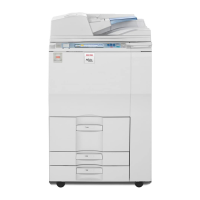
Ricoh Aficio MP 7502 - User Manual

Ricoh Aficio MP 7502
47 pages
Print Icon
To Next Page IconTo Next Page
Loading...
Version: 1.0 Classification: Ricoh Family Group Internal Use Only
Created by: Technical Support Department Page 1 of 47 Last Printed: 15-Jun-12
Technician Version R
Date: 4
th
June 2012
Aficio MP 6002 (SP)
Aficio MP 7502 (SP)
Aficio MP 9002 (SP)
Technician Technical
Launch Information
www.ricohtechnical.co.uk
follow RUKTechSupport

Table of Contents

Other manuals for Ricoh Aficio MP 7502

Questions and Answers

  • G
    Gerald KleinSep 23, 2025
    Why can't I use Web Image Monitor to print documents stored in Document Server on my Ricoh Aficio MP 7502 All in One Printer?
    • J
      Jessica MartinezSep 23, 2025
      You cannot use Web Image Monitor to print documents stored in Document Server on your Ricoh All in One Printer because, when print volume limits are specified, users cannot print beyond their print volume limit. Print jobs selected by users who have reached their print volume limits will be canceled.
  • S
    stevensellersAug 25, 2025
    Why are documents not printing from my Ricoh All in One Printer?
    • S
      Sandra BakerAug 25, 2025
      If documents and reports are not printing from your Ricoh All in One Printer, it could be because the paper output tray is full. Remove the prints from the tray. Another reason could be that there is no paper left. Load paper into the printer.
  • C
    Courtney HuffmanAug 25, 2025
    What to do if my Ricoh All in One Printer says "Paper size and type are mismatched"?
    • T
      teresalongAug 26, 2025
      This issue with your Ricoh All in One Printer can occur if the printer driver settings are incorrect or the tray does not contain paper of the size or type selected in the printer driver. Check that the printer driver settings are correct, and then load paper of the size selected in the printer driver into the input tray. You can also select the tray manually to continue printing, or cancel a print job.
  • M
    Michelle MarquezAug 27, 2025
    What to do if my Ricoh Aficio MP 7502 says "Paper size of n is mismatched"?
    • C
      Chelsea ClarkAug 27, 2025
      The size of the paper in the tray of your Ricoh All in One Printer does not match the paper size specified in the printer driver. Select a tray containing paper that is the same size as the specified paper size.
  • A
    Amy JonesAug 27, 2025
    What to do if an error has occurred on my Ricoh Aficio MP 7502?
    • M
      Mr. Jerome PooleAug 27, 2025
      An error has occurred on your Ricoh All in One Printer because a function which has the status "Error Occurred" in the [Check Status] screen is defective. Press [Check] in the function where the error occurred, then check the displayed message, and take appropriate action.
  • D
    Dr. Nicole BellSep 14, 2025
    What does “Authentication has failed” mean on my Ricoh Aficio MP 7502 All in One Printer?
    • D
      Dylan SmithSep 14, 2025
      This message appears on your Ricoh All in One Printer because the entered login user name or login password is not correct, or the machine cannot perform authentication.
  • L
    Linda RaySep 12, 2025
    Why is the user code entry screen displayed on my Ricoh Aficio MP 7502?
    • M
      Matthew JamesSep 12, 2025
      The user code entry screen is displayed on your Ricoh All in One Printer because users are restricted by User Code Authentication.
  • A
    Amy HudsonSep 13, 2025
    Why does the Authentication screen appear on my Ricoh Aficio MP 7502 All in One Printer?
    • K
      Kevin LynnSep 13, 2025
      The Authentication screen appears on your Ricoh All in One Printer because Basic Authentication, Windows Authentication, LDAP Authentication or Integration Server Authentication is set. Enter your login user name and user password.
  • J
    James FordSep 5, 2025
    What does "Load following paper in n" mean on my Ricoh Aficio MP 7502?
    • L
      Lisa GrantSep 5, 2025
      This message appears on your Ricoh All in One Printer if the printer driver settings are incorrect or the tray does not contain paper of the size selected in the printer driver. Check that the printer driver settings are correct, and then load paper of the size selected in the printer driver into the input tray.
  • R
    robert99Sep 2, 2025
    What does “Please wait” mean on my Ricoh Aficio MP 7502 All in One Printer?
    • J
      jcolemanSep 2, 2025
      This message appears on your Ricoh All in One Printer when you press the [Energy Saver] key, when the machine is warming up, or when you change the toner cartridge. Wait for a while. If the machine does not get ready in five minutes, contact your service representative. Also, wait until the message disappears and do not turn off the main power switch while the message is showing.

Ricoh Aficio MP 7502 Specifications

General IconGeneral
Print Speed (Black)75 ppm
Print ResolutionUp to 1200 x 1200 dpi
Duplex PrintingYes
Copy Speed75 cpm
Monthly Duty Cycle300, 000 pages
FunctionsPrint, Copy, Scan
Paper Input Capacity (Standard)1, 150 sheets
Paper SizesA3, A4, A5, B4, B5, Legal, Letter
Paper Weight52 gsm
Scan Speed120 ipm
Scan Resolution600 x 600 dpi
Copy Resolution600 x 600 dpi
Multiple CopyUp to 999 copies
Zoom25-400%
InterfaceEthernet, USB 2.0
Power SourceAC 220-240V, 50/60Hz
ConnectivityEthernet, USB
Operating System CompatibilityWindows, macOS

Related product manuals