71
5
Shooting Menu
5 Shooting Menu
The shooting menu is used to adjust camera settings when taking
pictures. To display the shooting menu, press the MENU button when
the camera is in shooting mode.
Using the Menu
1
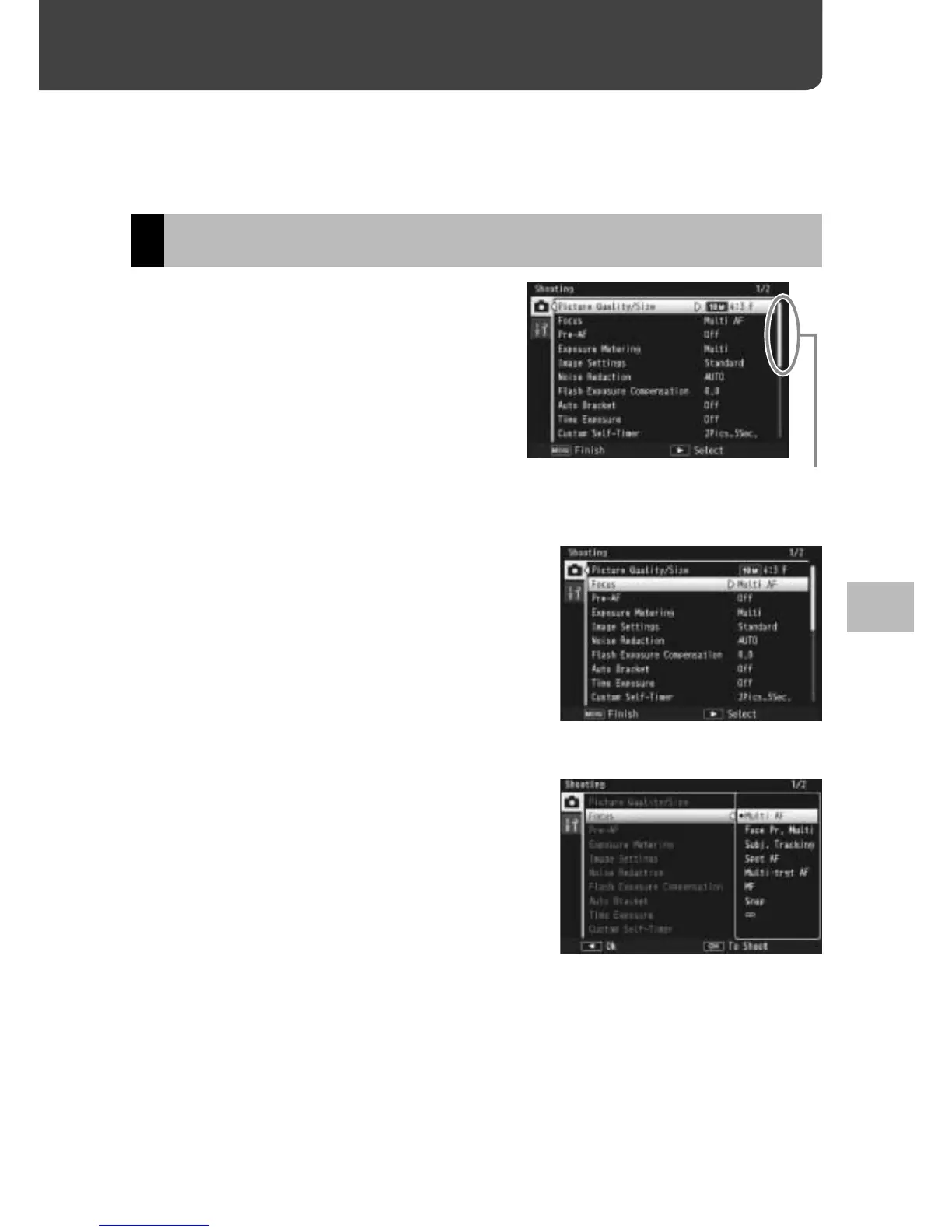
Press the MENU button in
shooting mode.
• The shooting menu is displayed.
• To display the shooting menu
in scene, continuous, or creative
shooting mode, press the ADJ./OK
button N to select the [MODE]
tab and then press the button "
once.
Indicates the range of displayed
screens.
2
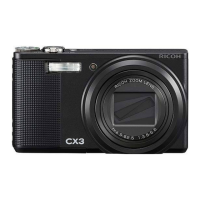
Press the ADJ./OK button !" to
select the desired menu item.
• If the DISP. button is pressed at
this point, the cursor moves to the
shooting menu tab.
• Press the ADJ./OK button " at the
bottom item to display the next
screen.
3
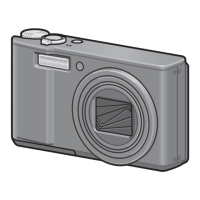
Press the ADJ./OK button F.
• The menu item settings are displayed.
4
Press the ADJ./OK button !" to
select the setting.
5
Press the ADJ./OK button.
• The setting is confirmed, the shooting menu disappears and the
camera is ready to shoot.
• To select the highlighted option and return to the menu shown in
Step 2, press the ADJ./OK button N.



 To Next Page