Replacing Consumables and Maintenance Kit
41
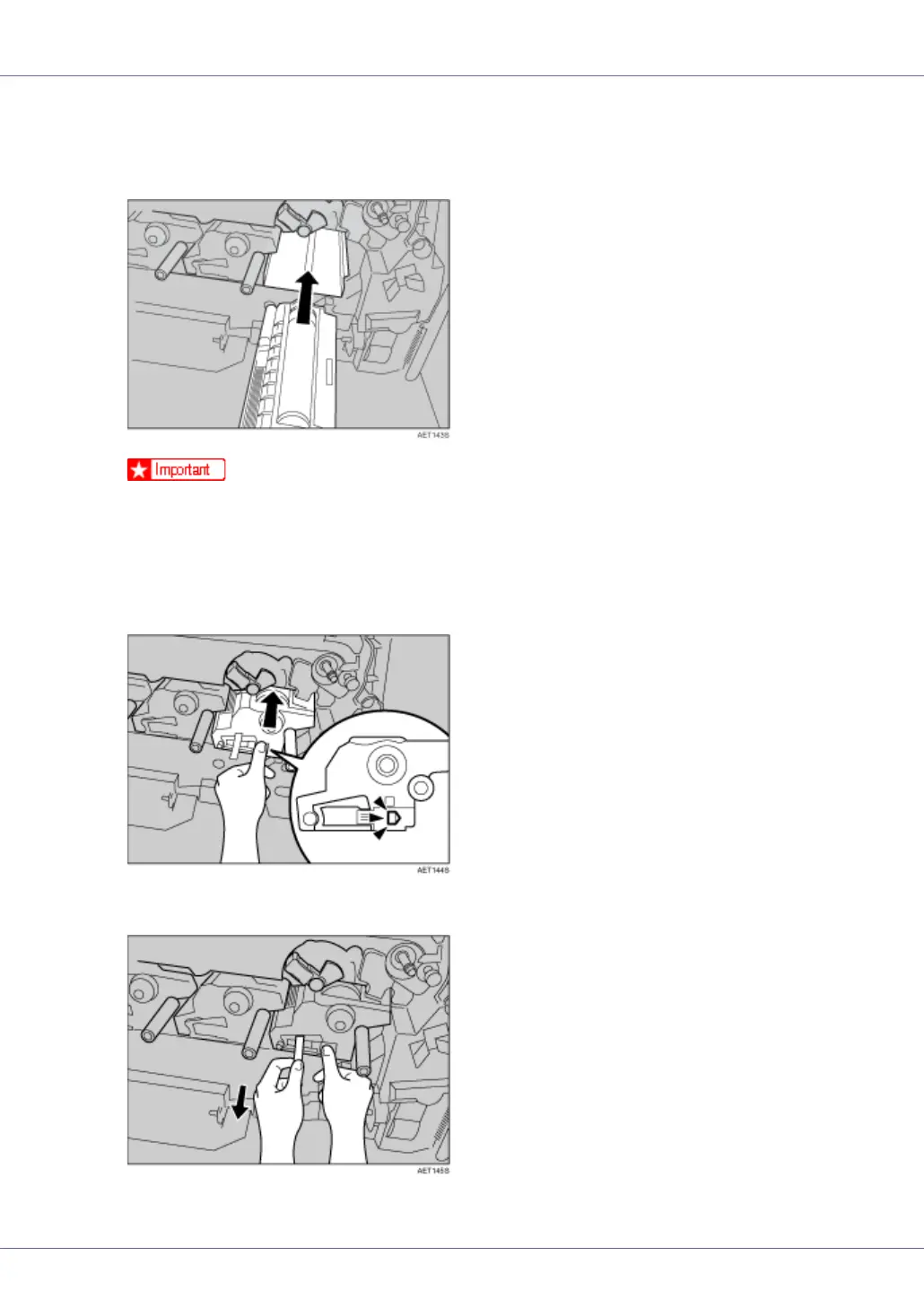
J Install the photo conductor unit with the tape still attached. Align the tip
of the photo conductor unit with the opening, and then slowly insert the
unit, until it stops.
❒ Take care that nothing comes into contact with the surface of the photo
conductor unit.
K Use a finger to push the label with three green lines, and then push in
the photo conductor unit, until it clicks into position. If the installation
fails, the small, pentagonal window turns red.
L Hold the photo conductor unit firmly in place, and then pull out the tape.










 To Next Page