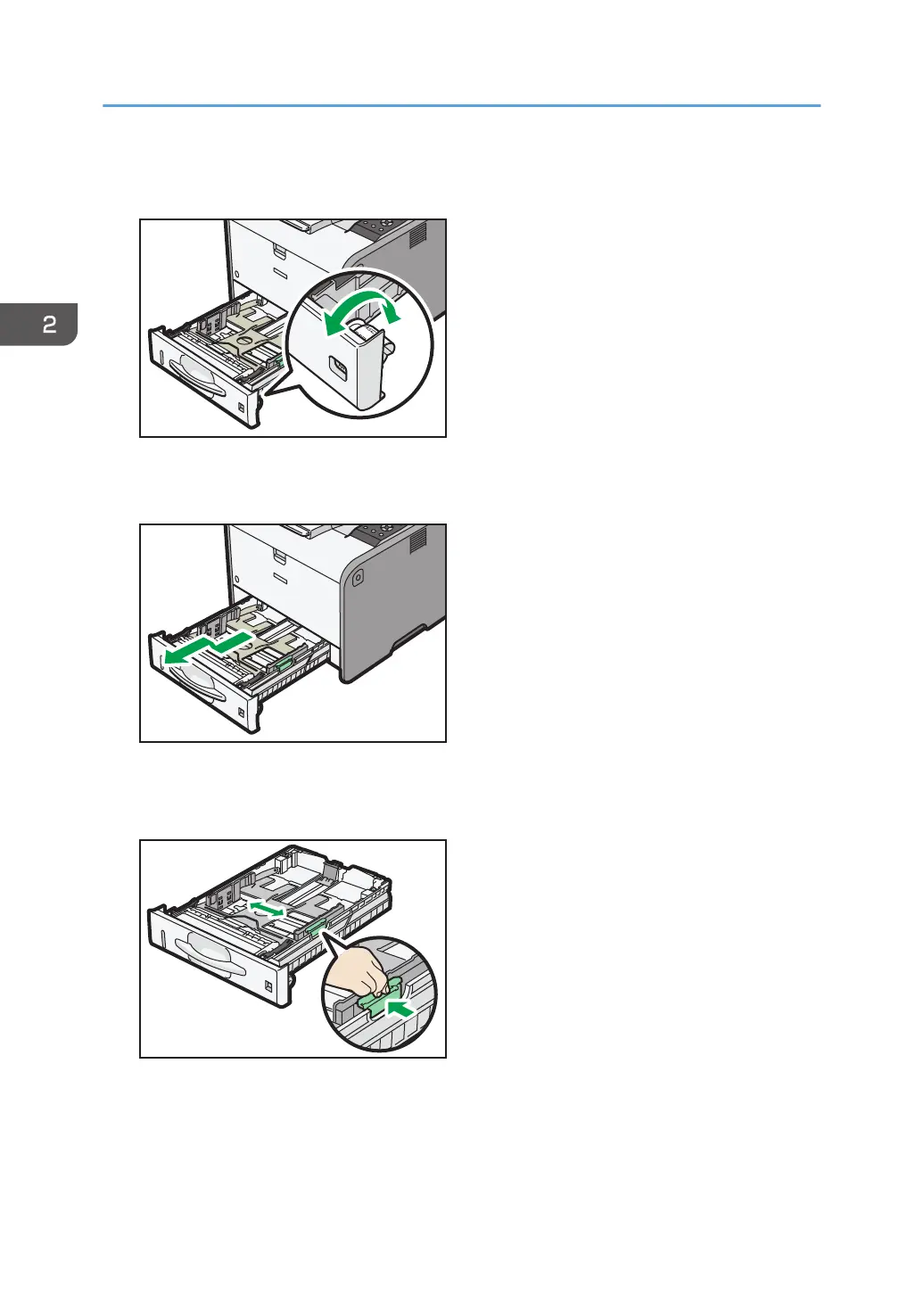
1. Pull out the paper tray carefully. Adjust the paper size dial to match the size and feed
direction of paper in the paper tray.
2. Pull the tray carefully until it stops, lift the front side of the tray, and then pull it out of the
printer.
Place the tray on a flat surface.
3. Squeeze the clip on the side paper guide and slide it to match the paper size.
2. Loading Paper
34


 To Next Page
 Loading...