4. Close the front cover with both hands carefully.
• Be sure the Tray 1 is inserted before you open the front cover.
• When closing the front cover, push the upper side of the cover firmly. After closing the cover, check
that the error is cleared.
Paper Misfeed Message (B)
• The inside of this printer becomes very hot. Before removing paper around the fusing unit, wait until
the temperature of the covers inside the fusing unit and paper transfer unit cools down.
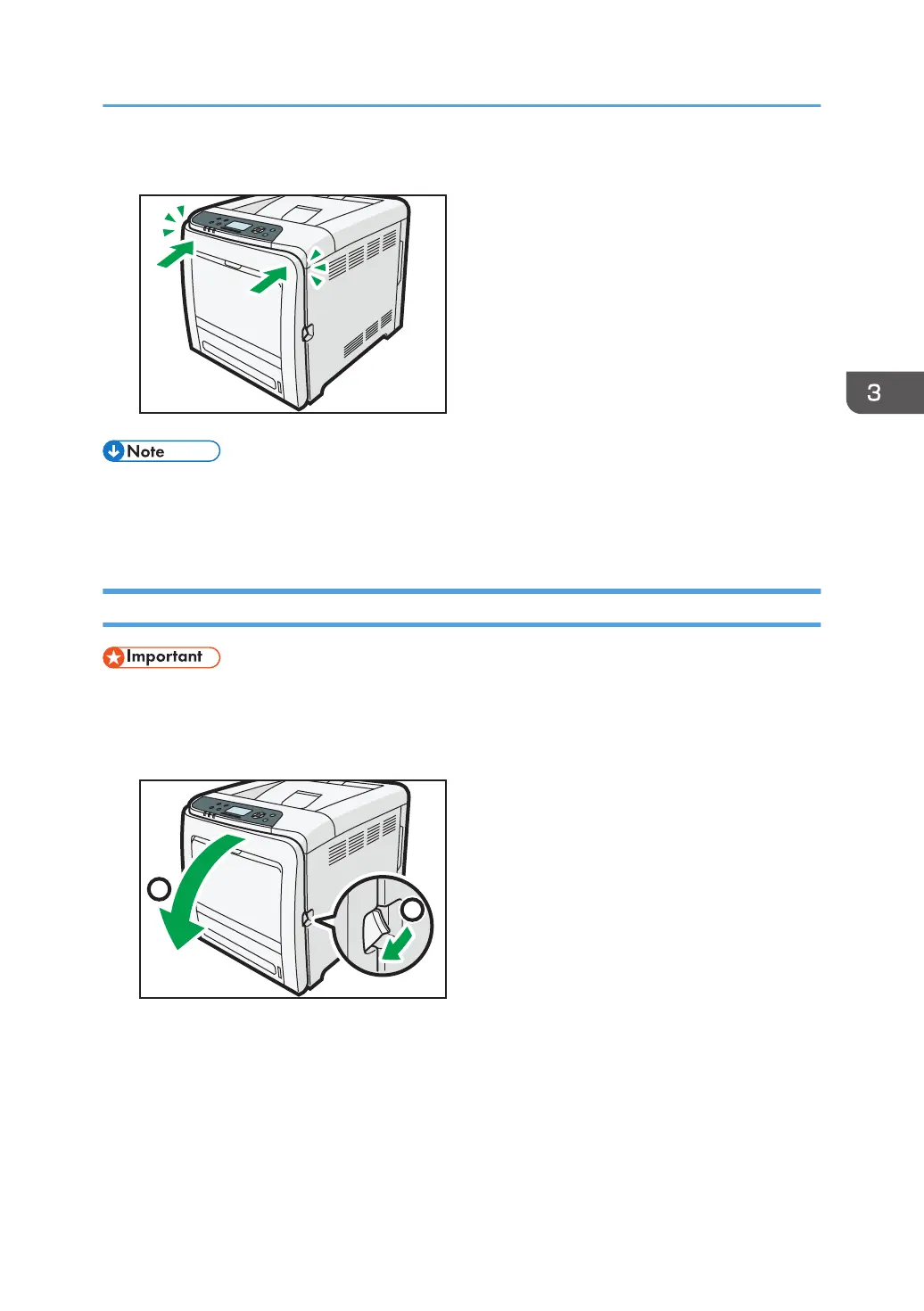
1. Pull the front cover open lever, and then open the front cover with both hands carefully.
Removing Jammed Paper
117


 To Next Page
 Loading...