声明:本说明书著作权归杭州睿登科技有限公司所有,未经允许任何单位或个人不得用于商业用途。
20
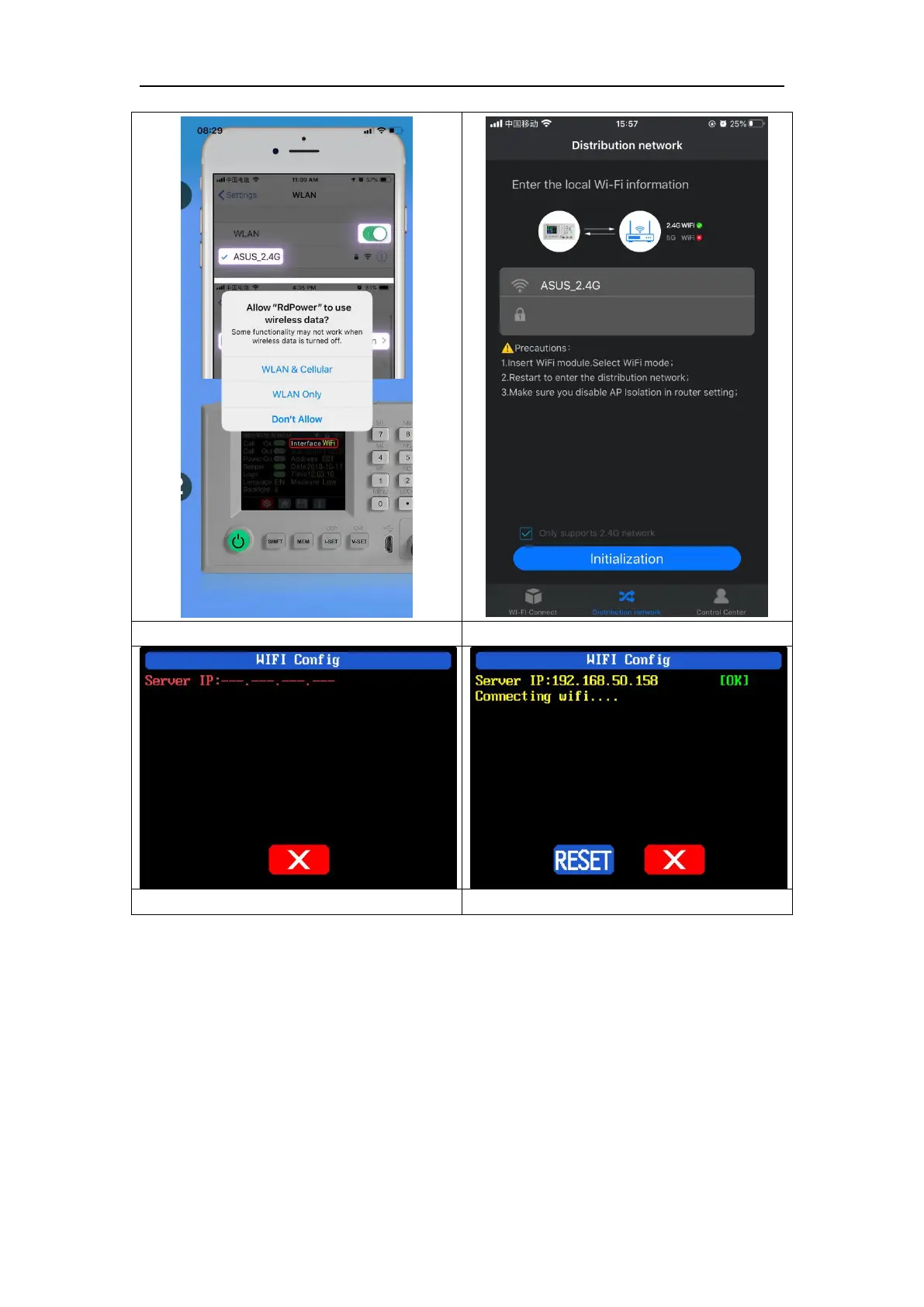
Connect Wi-Fi for the first time, please insert the WiFi board to the right place,
then power on RD6012, you will see the blue LED blinks once. Set the
communication interface to WIFI, restart RD6012, then place the RD6012 and the
mobile phone close to the 2.4G router (the mobile phone must also be under the
same 2.4G network, and the router must disable the AP isolation function and the
WMM function).
RD6012 will wait for the phone to connect as shown in Picture 13. Press “BL” to
jump to the network distribution page and enter the password. Click “Initialization”
and wait about 20 seconds, RD6012 will obtain the IP address of the mobile phone as
shown in Picture 14. Then click “Configure Network”, wait about 30s, it will show
success on the APP, then RD6012 will start normally, the distribution network is



 To Next Page