声明:本说明书著作权归杭州睿登科技有限公司所有,未经允许任何单位或个人不得用于商业用途。
8
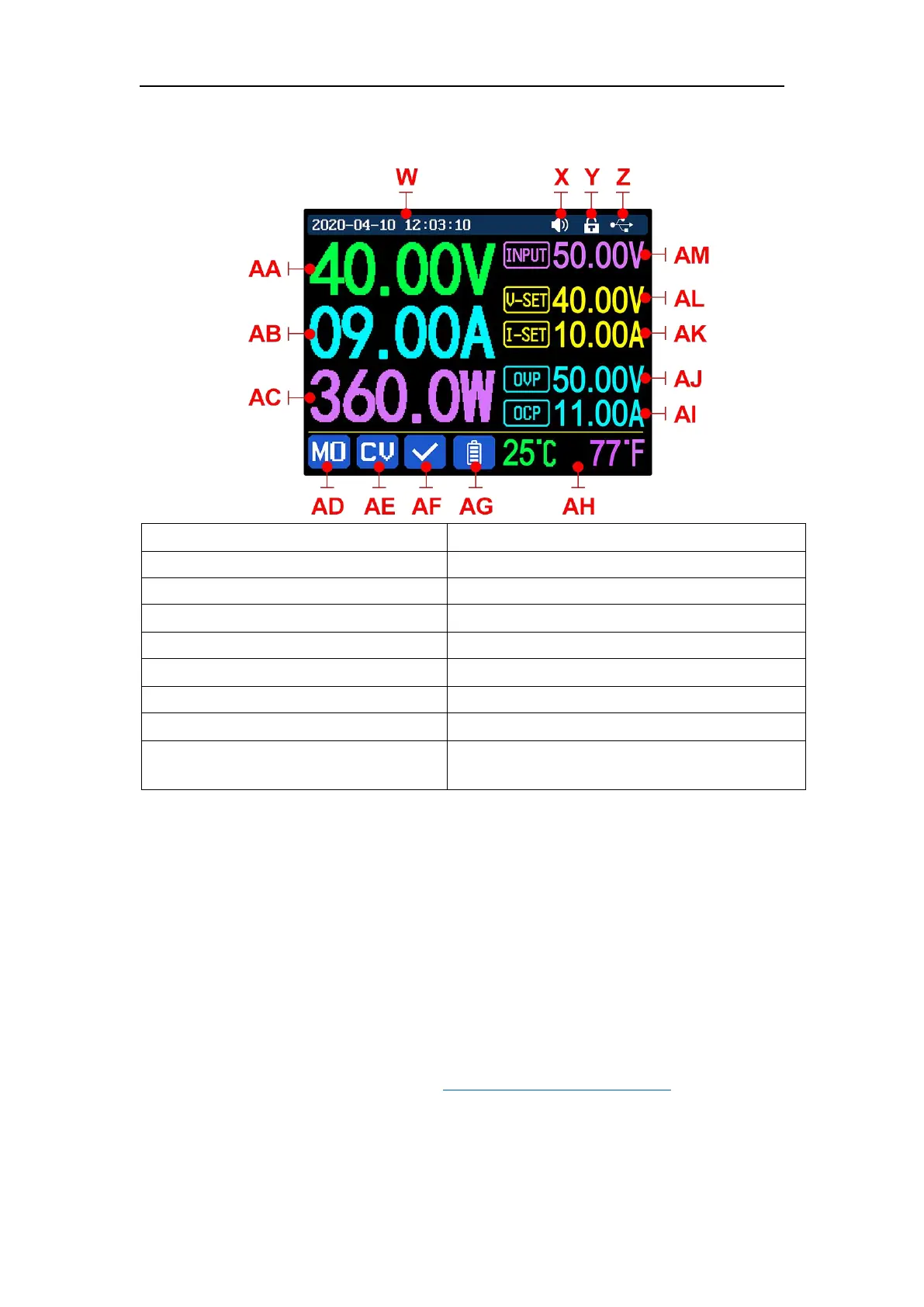
1.4.1 Main Page
AF: Protection status indication
AG: Battery charging indication
AH: Battery related information display area
Z: Communication interface
AA: Actual output voltage value
AL: Output voltage preset value
AB: Actual output current value
AK: Output current preset value
AJ: Over voltage protection value
AI: Over current protection value
AE: Constant voltage Constant current
status
1.4.2 Operation Introduction
In the menu operation, the icon in red or cursor is the currently selected menu,
the icon in blue is not selected, press ENTER to confirm, press the encoder
potentiometer to cancel or return, press the direction button to move the cursor or
switch menu, rotate the encoder potentiometer to change the setting, the settings
will be automatically saved when returning from the menu page. Press and hold the
0 button and power on to restore the factory settings, press and hold the 1 button
and power on to restore the factory calibration value, press and hold ENTER and
power on to enter the boot mode.
1.4.2.1 Battery Charging Function Introduction
Battery charging operation video:
https://youtu.be/irTbqfqtgU0
After power-on, at battery related information display area, external
temperature, capacity and energy will loop display. When there is output current:
capacity, energy automatically accumulated, and automatically cleared after
shutdown.



 To Next Page