声明:本说明书著作权归杭州睿登科技有限公司所有,未经允许任何单位或个人不得用于商业用途。
9
The green terminal is connected to the positive pole of the battery, and the
black terminal is connected to the negative pole of the battery. After the battery is
correctly connected, the battery charging indicator turns red and the battery is
connected. Press ON/OFF to start charging, the battery charging indicator turns
green. When the actual output current is lower than 0.1A (10mA for RD6006), the
output will be shut down automatically. Battery with protection board need to be
charged with red and black terminals. The charging voltage and current should be set
on your own. When the charging function is not in use, you can connect the green
and black terminals with a cable to prevent interference with the battery detection
terminal and accidentally turn off the output.
It is strongly recommended to use the original charger to charge the battery.
The charging function of this machine can only serve as a temporary replacement,
not for long-term use. There is a risk of fire and explosion during the charging
process. Non-professionals should not operate. (COMMON BATTERY VOLTAGE can be
check in Appendix 2.)
1.4.2.2 Main Page Output Voltage and Output Current Setting
Output voltage and current setting operation video:https://youtu.be/S6Kan66dNsk
Press “I-SET” button to set the output current value, you can use encoder
potentiometer to adjust the output value directly, press the direction button to move
the cursor. Of course you can use keypad to enter the value, and press “ENTER” to
confirm. If you set the wrong value, you can press encoder potentiometer to cancel.
Press “V-SET” button to set the output voltage value, the operation method is
similar to output current setting.
Press “SHIFT”+ “I-SET” button / “SHIFT”+ “V-SET” button to set the over current
protection/ over voltage protection value. The operation method is similar to output
current setting.
M0 is the default data group when RD6006 is powered on, manually modify the
settings will automatically be record to M0 after confirmation.
1.4.2.3
Data Group Quick Storage and Call out
Data group quick store and call out operation video:https://youtu.be/eo5saPjOGpo
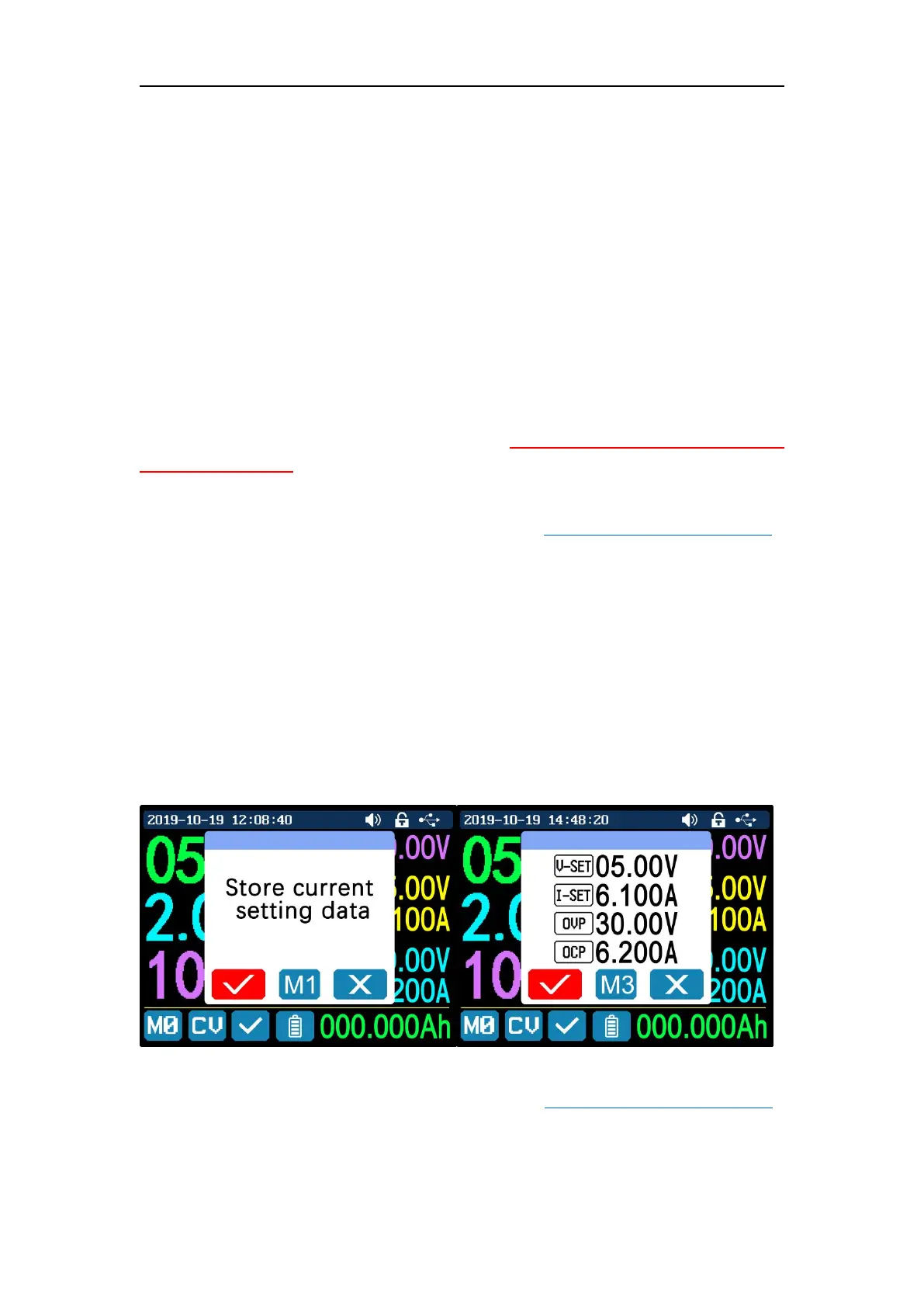
Press “MEM”+ keypad button 1-9, you can store the output voltage value,
output current value, over voltage protection value, over current protection value
into the corresponding data group(as shown above), then press “ENTER” to confirm,



 To Next Page