声明:本说明书著作权归杭州睿登科技有限公司所有,未经允许任何单位或个人不得用于商业用途。
27
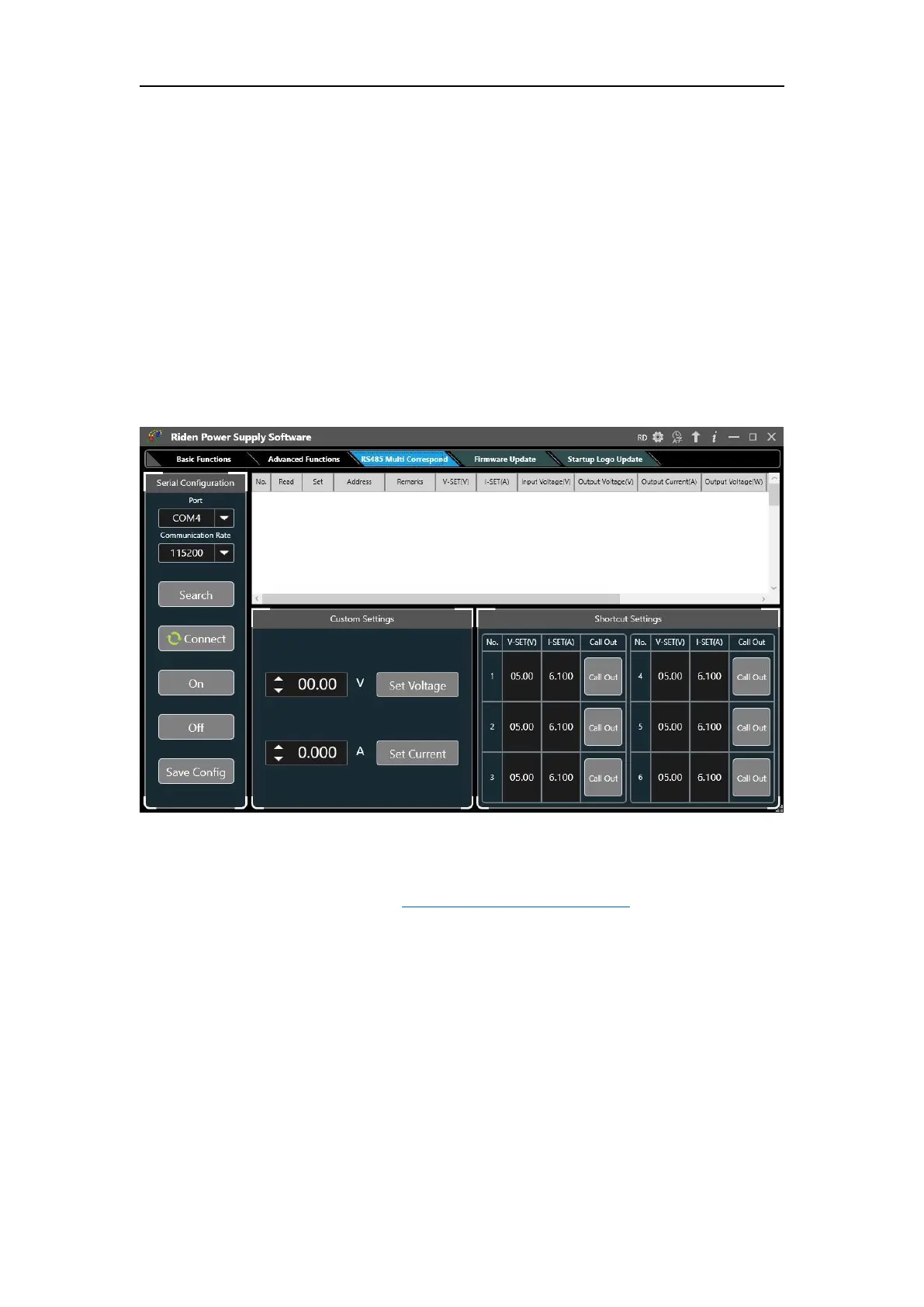
Multi-device communication is to control multiple power supplies through the
485 bus, and can control up to 32 units at the same time. It is suitable for industrial
control field. USB to 485 and 485 modules need to be purchased separately. The
output voltage and current of all power supplies can be controlled by one software,
or they can be set separately.
First, after connecting multiple units with USB to 485, select the appropriate
port number and baud rate, and then set each RD6006 to a different device address
(see 1.4.2.5 System Settings), then click search and click connect. You can modify the
voltage and current of a single unit in the icon on the right, and you can set the
voltage and current in batches at the bottom. Since RS485 is a polling operation,
when there are 32 RD6006s, an operation may be delayed for 12 seconds.
The interface cannot be switched after connecting in the RS485 interface, and it
can be switched after disconnecting.
4.3.5 Firmware Update
Firmware update operation video: https://youtu.be/NOoLfDw0DiY
Press and hold “ENTER” and power on RD6012, enter the boot mode, then
connect it to computer, there will be “boot mode” in the mode information text box,
then click “Firmware Update”, a firmware update prompt will pop up on the
interface, and click “Now” to upgrade. (You can update the firmware under the
normal mode, if it cannot be started up normally, you should press and hold the
“ENTER” button and power on, update it under boot mode. It doesn’t support
firmware update under WiFi connection mode).



 To Next Page