261
MediorNet User Manual 2.00.0
5.8 Menus of MediorWorks Software
In this chapter all MediorWorks menus are listed in the order of appearance.
5.8.1 File
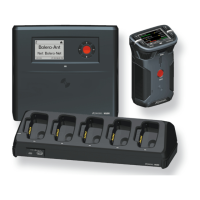
The actual system configuration of the MediorNet network is stored on a SD card in the MN-XSS Card. This
configuration can also be stored in a file on your PC.
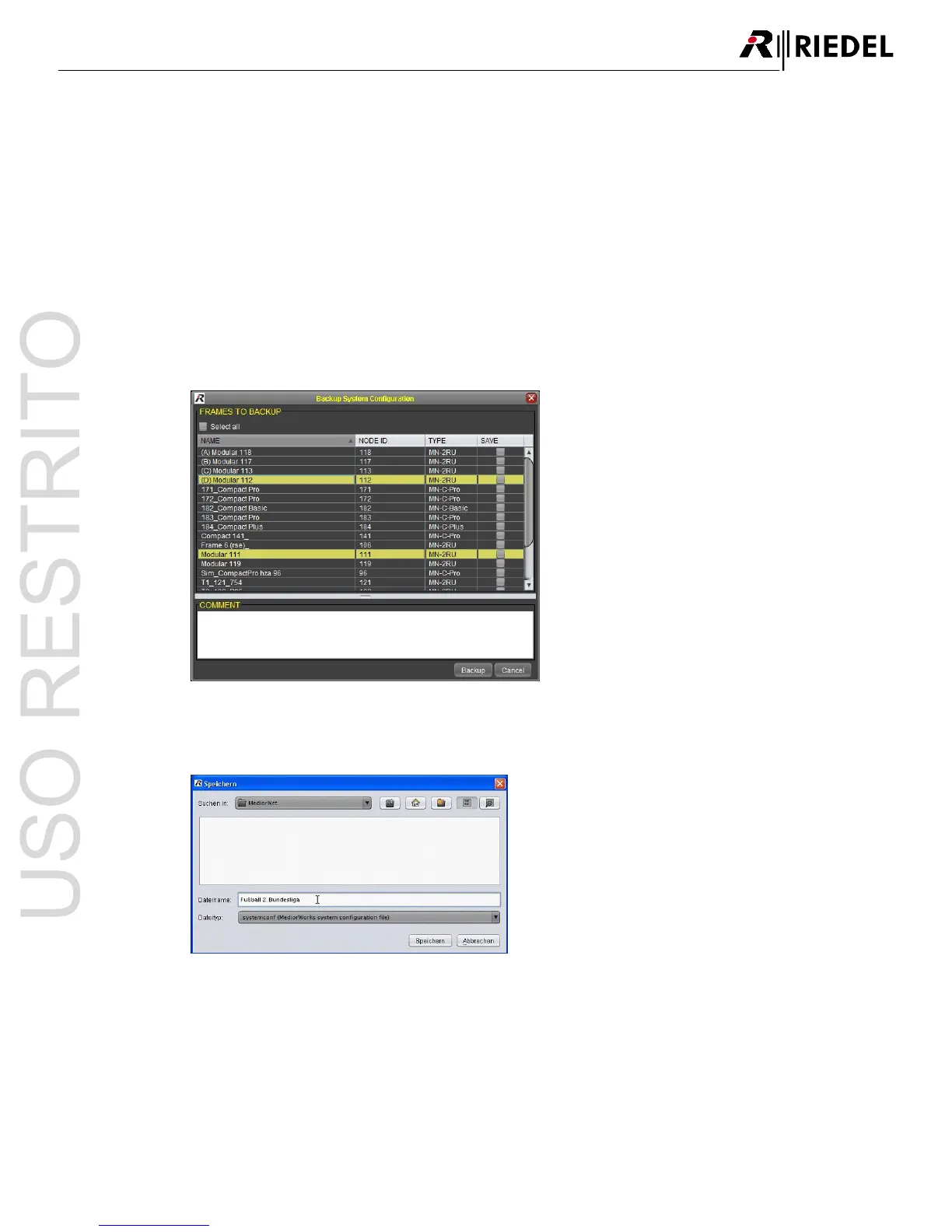
Backup System Configuration5.8.1.1
To store the system configuration it is necessary to select the desired Frame by the checkbox
Save
or by
selecting all Frames by the checkbox
Select all
. In the comment field the user can enter additional information
about this configuration.




 To Next Page