User’s manual
Cable loss
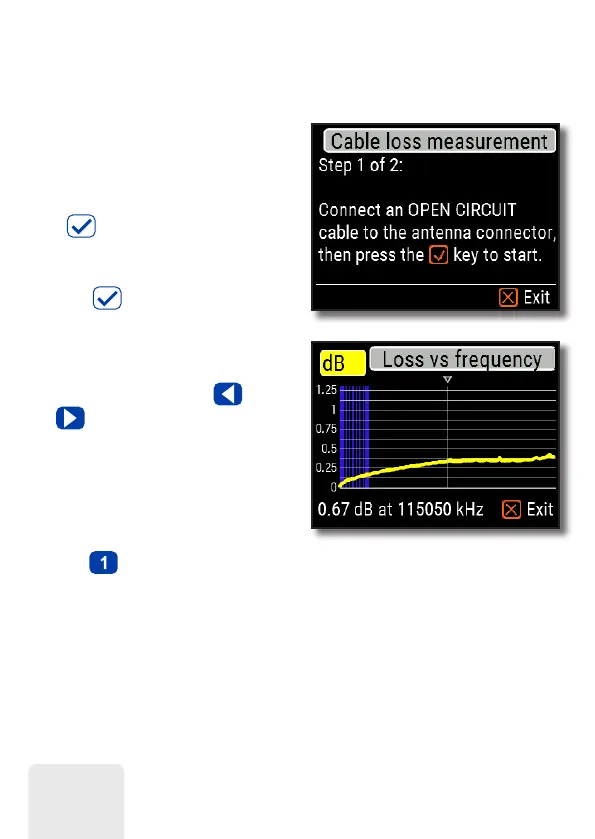
To measure the
loss
in a coaxial cable,
connect a piece of a cable to the antenna
connector of the analyzer. Make sure
the far end of the cable is open circuited.
Press
(OK) to start.
Next, short circuit the far end of the cable
and press
(OK) to continue.
Once the analyzer finishes the
measurement, you will see the Loss
versus frequency chart. Use (Left)
and (Right) cursor keys to change
frequency and watch the loss value in
decibels at the bottom of the analyzer’s
screen.
To see the list of other keypad shortcuts,
press the (Help) key.
28



 To Next Page