RigExpert AA-650 ZOOM
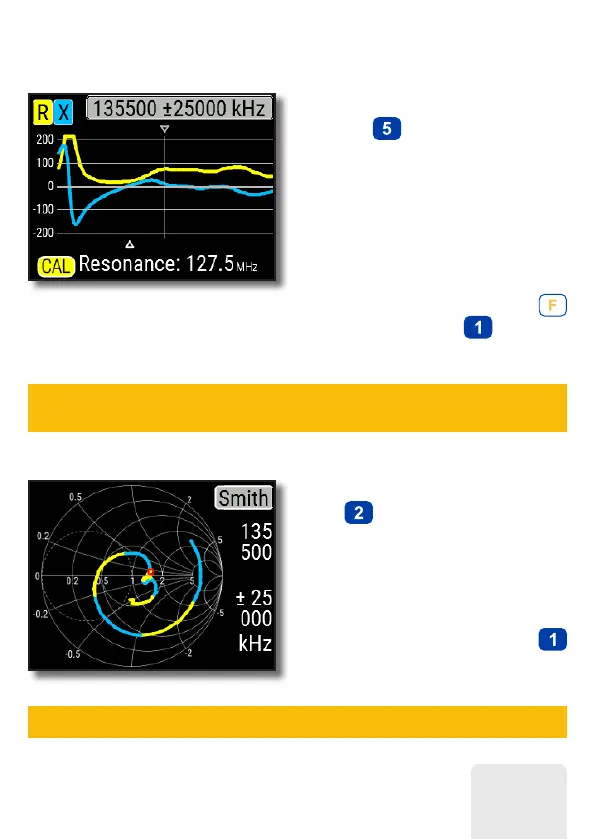
R,X chart
Press the
(R,X chart) key in the Main
menu to access the R,X chart mode.
Positive values of reactance (X)
correspond to inductive load, while
negative values correspond to capacitive
load.
The chart will display R and X for series
or parallel models of a load. Press
(Functional key) and to switch
between these models.
Smith chart
The (Smith chart) key opens a
screen where the reflection coefficient is
plotted on the Smith chart.
For a list of hot keys, press the
(Help) key, as usual.
A small marker is used to indicate the center frequency.
The marker at the bottom of the screen shows a resonant
frequency closest to the center of the scan.
9













 To Next Page