RigExpert AA-650 ZOOM
Practice
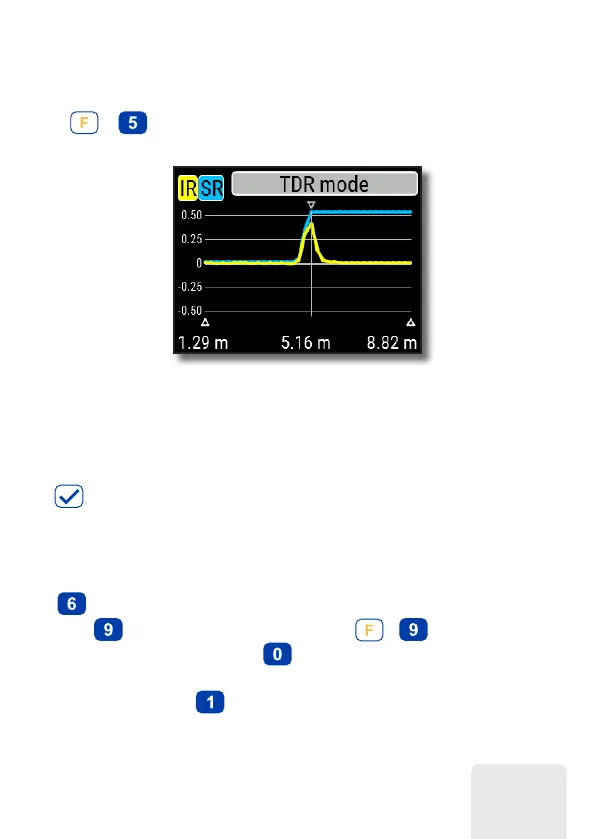
Press +
(TDR) to open Impulse Response (IR) and Step Response (SR)
charts:
The velocity factor of the cable, as well as display units (meters or feet) may be
changed in the Settings menu. You may disconnect your antenna or leave it connected
to the far end of the cable. This will only affect the part of the chart located behind the
far end of the cable.
The
(OK) key star ts a new measurement, which will take some time. Use the arrow
keys to move the cursor or to change the display range. Watch the navigation bar at
the top-right corner of the screen to see the current position of the displayed part of
the chart.
The
(Save) key will start a new measurement, saving results in one of 100 memory
slots. The
key will retrieve saved data. Use the
+
combination to edit
memory names, if needed. Pressing
(Data) opens a data screen which displays
numerical values of impulse and step response coefficients, as well as Z (estimated
impedance) at cursor. The key will display the help screen, as usual.
35













 To Next Page