EasyManua.ls Logo

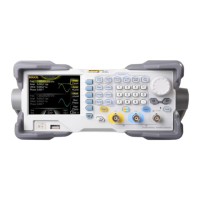
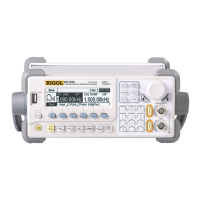
Rigol DG1000 Series - User Manual

Rigol DG1000 Series
100 pages
Print Icon
To Next Page IconTo Next Page
Loading...
RIGOL
Programming Guide
DG1000 Series
Dual-Channel Function/Arbitrary
Waveform Generator
Aug. 2012
RIGOL Technologies, Inc.

Other manuals for Rigol DG1000 Series

Questions and Answers

  • D
    Dan GloverAug 10, 2025
    What to do if my Rigol Inverter settings are correct but no waveform is generated?
    • E
      Elizabeth CarterAug 10, 2025
      If your Rigol Inverter isn't generating a waveform despite correct settings, first, verify that the BNC cable is securely connected to the signal output terminal and that the cable itself is functioning correctly. Also, check that the Output button is activated. If these steps don't resolve the issue, try resetting the instrument by pressing Utility ? System ? Setting ? PowOn ? Latest and then restart the device.
  • M
    Megan StanleyAug 25, 2025
    Why is the screen black after powering on my Rigol Inverter?
    • D
      Diane MclaughlinAug 25, 2025
      If your Rigol Inverter screen remains black after powering it on, ensure the power cord is correctly connected and that both the front and rear power switches are turned on. After checking these connections, restart the instrument. If the screen is still black, it may indicate a more serious issue.

Rigol DG1000 Series Specifications

General IconGeneral
BrandRigol
ModelDG1000 Series
CategoryPortable Generator
LanguageEnglish

Related product manuals