EasyManua.ls Logo

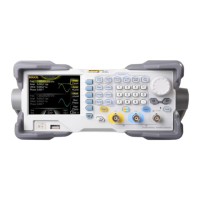
Rigol DG1000Z Series - User Manual

Rigol DG1000Z Series
180 pages
Print Icon
To Next Page IconTo Next Page
Loading...
RIGOL
Users Guide
DG1000Z Series Function/Arbitrary
Waveform Generator
Oct. 2016
RIGOL TECHNOLOGIES, INC.

Table of Contents

Other manuals for Rigol DG1000Z Series

Questions and Answers

  • J
    Jacob HernandezAug 10, 2025
    What to do if my Rigol Inverter settings are correct but no waveform is generated?
    • R
      Robin MackAug 10, 2025
      If your Rigol Inverter's settings are correct but no waveform is being generated, verify the following: * Ensure the BNC cable is securely connected to the appropriate channel output terminal ([CH1] or [CH2]). * Inspect the BNC cable for any internal damage. * Confirm the BNC cable is tightly connected to the test instrument. * Check if the backlight of Output1 or Output2 is illuminated; if not, press the corresponding key. After these checks, select “Last” in Utility ? System ? Power On and restart the instrument.
  • M
    Mary DavisAug 15, 2025
    How to adjust screen brightness on Rigol Inverter?
    • M
      Michael VanceAug 15, 2025
      If the screen of your Rigol Inverter is too dark, it might be due to low brightness and contrast settings. To adjust this, go to Utility ? System ? Display to access the display settings menu. From there, select Bright and contrast and use the numeric keyboard or direction keys and knob to increase the brightness and contrast to suitable levels.
  • K
    kathleen49Aug 20, 2025
    Why my Rigol Inverter does not recognize USB storage device?
    • C
      Christian HebertAug 20, 2025
      If your Rigol Inverter's USB storage device isn't being recognized, first check if the USB device works correctly with other instruments or a PC. Ensure the USB storage device is formatted as FAT32 and is a flash type, as the generator does not support hardware USB storage devices. If problems persist, restart the instrument and reinsert the USB storage device.
  • A
    alex88Aug 26, 2025
    What to do if Rigol Inverter screen is dark after pressing the power key?
    • S
      simpsondebbieAug 26, 2025
      If the screen of your Rigol Inverter remains dark after pressing the power key, ensure the power is correctly connected and that the power key is fully pressed. After checking these, restart the instrument.
  • S
    Samuel ScottAug 30, 2025
    How to unlock Rigol Inverter?
    • T
      Teresa StoneAug 30, 2025
      If your Rigol Inverter is locked, it may be in remote mode, indicated by an icon in the status bar. To exit remote control mode and unlock the front panel, press Help. Alternatively, restarting the generator can also unlock it.

Rigol DG1000Z Series Specifications

General IconGeneral
Output Channels2
Vertical Resolution14 bits
Harmonics GeneratorYes
Waveform TypesSine, Square, Ramp, Pulse, Noise, Arbitrary
Modulation TypesAM, FM, PM, FSK
Waveform Length16 kpts
SweepLinear, Log
InterfacesUSB, LAN

Related product manuals