EasyManua.ls Logo

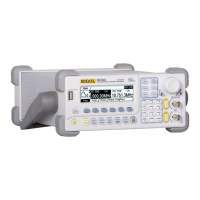
Rigol DG1022 - User Manual

Rigol DG1022
147 pages
Print Icon
To Next Page IconTo Next Page
Loading...
RIGOL
User’s Guide
DG1022 Dual-Channel
Arbitrary/Waveform Generator
Sept. 2011
RIGOL Technologies, Inc.

Table of Contents

Other manuals for Rigol DG1022

Questions and Answers

  • E
    efrenchJul 27, 2025
    What to do if my Rigol Inverter settings are correct but no waveform is generated?
    • A
      Andrew HarrisJul 28, 2025
      If your Rigol Inverter isn't generating a waveform despite correct settings, first, verify that the BNC cable is securely connected to the signal output terminal and that the cable itself is functioning correctly. Also, check that the Output button is activated. If these steps don't resolve the issue, try resetting the instrument by pressing Utility ? System ? Setting ? PowOn ? Latest and then restart the device.
  • S
    swilsonAug 11, 2025
    Why is the screen black after powering on my Rigol Inverter?
    • S
      Shane HarperAug 11, 2025
      If your Rigol Inverter screen remains black after powering it on, ensure the power cord is correctly connected and that both the front and rear power switches are turned on. After checking these connections, restart the instrument. If the screen is still black, it may indicate a more serious issue.

Summary

Chapter 1 Quick Start

General Inspection

Steps to inspect a new DG1022 generator upon receipt, checking packaging and contents.

Handle Adjustment

Instructions on how to adjust the position of the generator's carrying handle.

The Front;Rear Panel

Introduction and description of the operation and functions of the generator's front and rear panels.

User Interface

Description of the generator's display modes: Menu Mode (Single/Double Channel) and Graph Mode.

Setting Waveforms

Guidance on selecting and configuring basic waveform types like Sine, Square, Ramp, Pulse, Noise, and Arbitrary.

Chapter 2 Operating Your Generator

Chapter 4 Prompt Messages & Troubleshooting

Prompting Messages

Explanation of common messages displayed by the instrument during operation.

Troubleshooting Guide

Steps to diagnose and resolve common issues with the generator.

Chapter 5 Specifications

Rigol DG1022 Specifications

General IconGeneral
ModelDG1022
TypeFunction/Arbitrary Waveform Generator
Channels2
Maximum Frequency20 MHz
Frequency Range1 μHz to 20 MHz
Sample Rate100 MSa/s
Vertical Resolution14 bits
Waveform TypesSine, Square, Ramp, Pulse, Noise, Arbitrary
Output Impedance50 Ω
Modulation TypesAM, FM, PM, FSK, PWM
Sweep ModesLinear, Logarithmic
Frequency Accuracy±20 ppm
Frequency Resolution1 μHz
Display3.5 inch TFT LCD
Waveform Length8 kpts
Arbitrary Waveform Length8 kpts
Amplitude Accuracy±(1% of setting + 1 mVpp)
InterfacesUSB Device, USB Host
Power Supply100-240 V AC

Related product manuals