GM Marine EFI
Page 13Page 13
Connecting to GM MEFI-1 thru MEFI-4 systems
(For connecting to GM MEFI-5 or MEFI-6 CAN based systems see page 15)
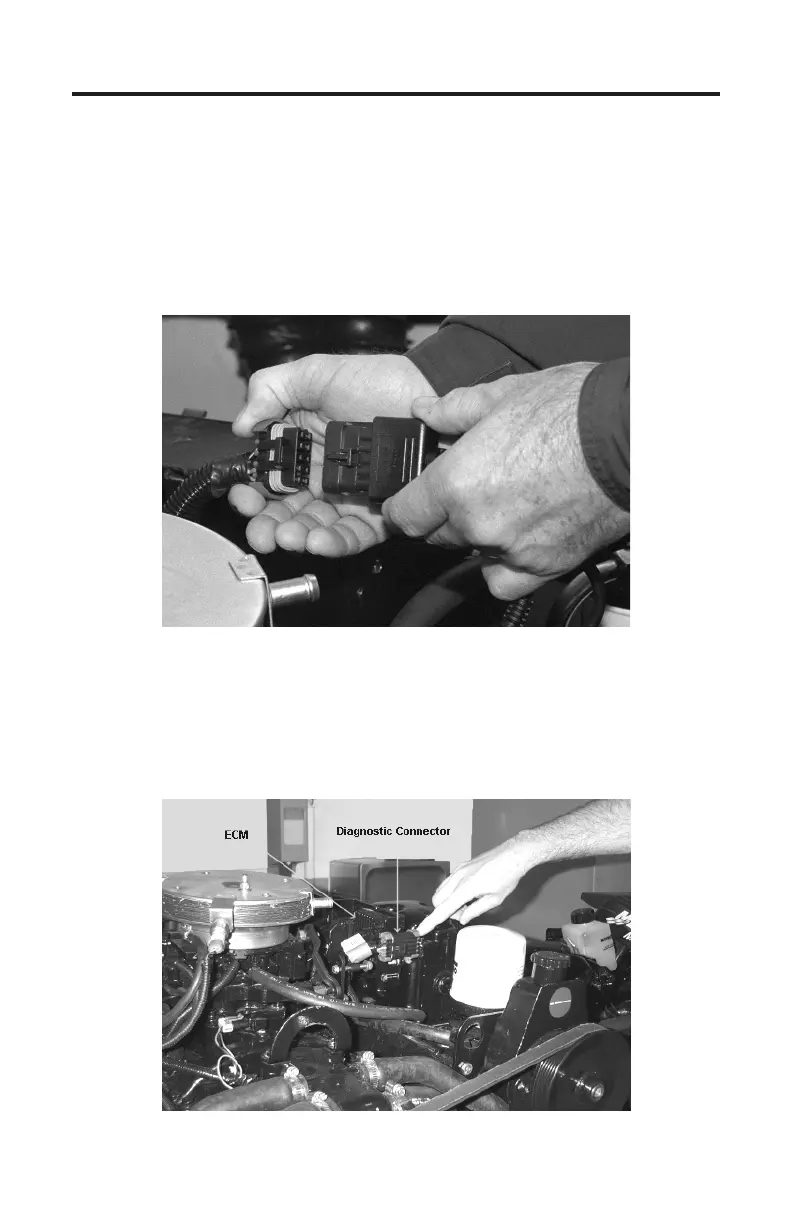
1) Locate the engine’s 10 pin marine diagnostic link connector (DLC). e loca-
tion of this connector is specied in the engine manufacturer’s service manu-
al. Please be aware that the connector may have a protective cap attached to it.
Examples are shown in Figure 4 and Figure 5 below.
Figure 4 GM EFI Diagnostic Link Connector (DLC)
Note: Some manufacturers place a protective cover over the DLC which must be
removed in order to connect the scan tool to the engine. Be sure to replace the
connector cover, if used, in order to protect the diagnostic connector’s electrical
terminals from water and corrosion.
Figure 5 Connector with protective cap attached


 To Next Page